10 Things to Do After Creating Your Google Business Profile
How to Rank for “Near Me” Searches on Google
Creating a Google Business Profile (GBP) is only the beginning.
If you want your business to appear when customers search for terms such as “digital marketing agency near me,” “dentist near me,” “plumber near me,” or “SEO company near me,” you need to build a complete, accurate and locally relevant presence around your profile.
Google says local results are primarily influenced by relevance, distance and prominence. Complete business information helps Google understand relevance, while reviews, links and other signals contribute to prominence. Distance is influenced by the searcher's location.
The following 10 steps can help you build a stronger foundation for local search visibility.
1. Add and Verify Your Google Maps Location
After creating your Google Business Profile, make sure your business location and map pin are accurate.
For businesses with a physical location, ensure the address and map marker correctly represent where customers can find you. For service-area businesses, configure your service area accurately instead of using an address where customers cannot actually visit you.
Google specifically recommends that businesses keep their address and/or service area accurate and precise.
Your website should also clearly display your business's location and contact information where appropriate. Consistency between your website, GBP and other online business references can help Google understand your business.
Why it matters: Accurate location information helps Google determine whether your business is relevant to a local search.
Local SEO tip: Add your Google Maps location to the appropriate location/contact page on your website rather than relying exclusively on your GBP.
2. Choose the Right Primary and Secondary Categories
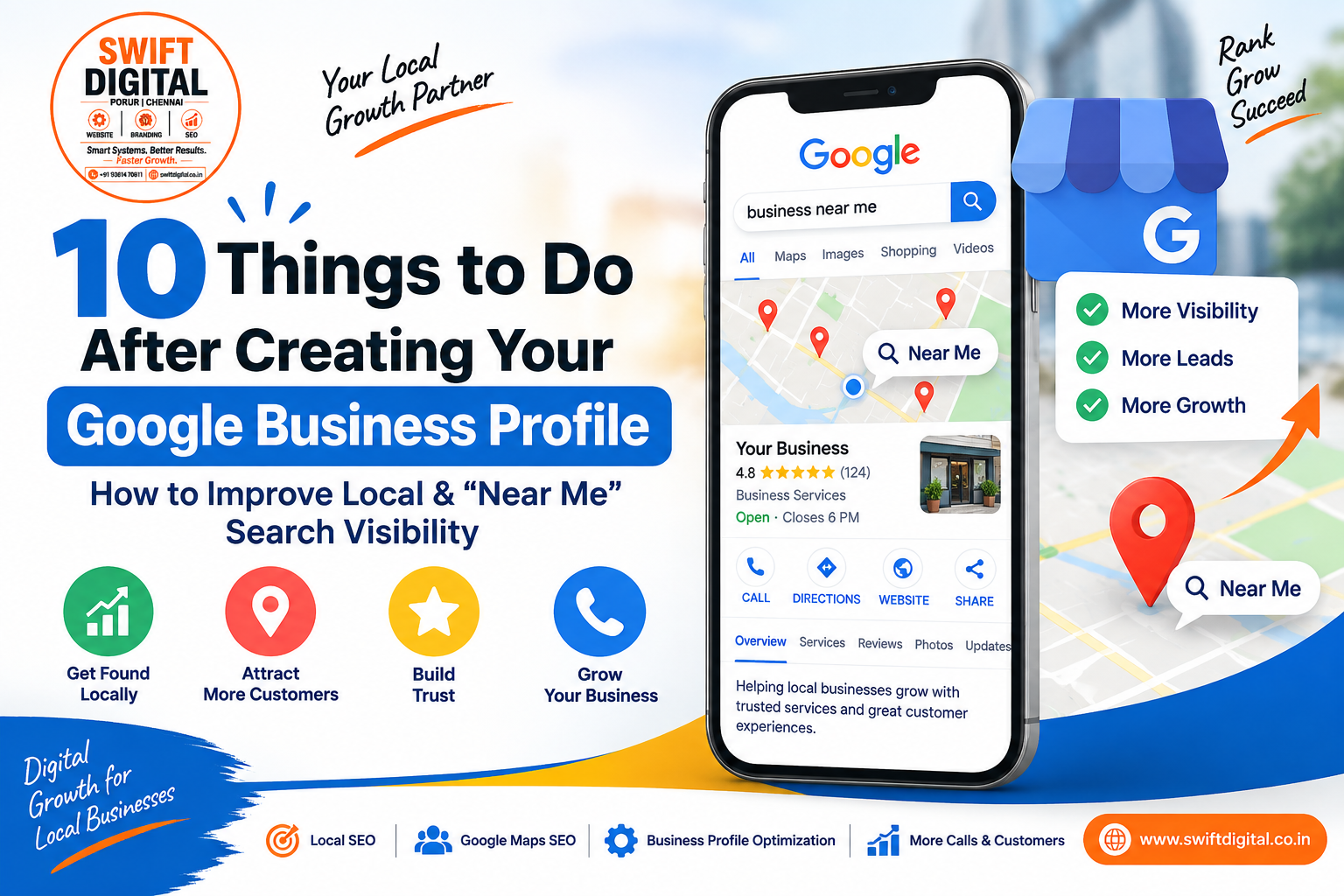
Your Google Business Profile categories tell Google what your business actually is.
Choose a primary category that most accurately describes your core business. You can also add additional relevant categories where they genuinely describe the business.
Google currently allows a primary category plus up to nine additional categories, but Google's guidance is to use as few categories as necessary and make them specific and representative of your business. Categories should not simply be used as keywords.
For example, if you operate a digital marketing agency, your primary category should represent the agency itself. Additional categories should only be added when they accurately describe your business.
Why it matters: Categories help Google understand your business and match your profile with relevant searches.
Action step: Research competitors appearing in your target Google Maps results and identify relevant category opportunities. Tools such as GMB Plug can make category and competitor research faster. Your GBP resources also include GMB Plug and GMB Everywhere for this type of research.
3. Build a Complete Services Section
Add the services your business genuinely provides to the Services section of your Google Business Profile.
Don't add services simply because they contain popular keywords. Every service should be something customers can actually purchase or receive from your business.
Google allows businesses in eligible categories to create service groups and add service descriptions and, where supported, prices.
For example, an SEO agency might have services such as:
Google Business Profile Optimization
Local SEO
Google Maps SEO
Technical SEO
Keyword Research
Local Citation Building
Review Management
Local Link Building
Your exact service list should depend on what your business actually offers.
Why it matters: A well-structured Services section gives Google additional information about what your business provides and can help customers understand your offerings.
Important: Don't create dozens of artificial services just to manipulate rankings. Quality and accuracy are more important than hitting an arbitrary number.
4. Create Relevant Website Pages for Your Important Services
Your Google Business Profile and website should support each other.
For important services, consider creating dedicated website pages that clearly explain:
What the service is
Who needs it
Problems it solves
What is included
Your process
Areas you serve
Frequently asked questions
How customers can contact or book you
For example:
GBP Service: Google Business Profile Optimization
Website Page:/google-business-profile-optimization/
The GBP service can then point customers toward the relevant page where appropriate.
This creates a stronger connection between your Google Business Profile and your website.
For businesses looking to strengthen their overall digital presence, you can also explore the services offered by Swift Digital.
Why it matters: Your website provides additional context about your services and can strengthen your overall local search presence.
5. Complete Your Service Descriptions
Don't stop after adding the service name.
Where the GBP interface provides a description field, write a useful and accurate explanation of the service.
A good description should explain:
What the service includes
Who it is for
The main benefit
Important service details
Relevant location information when natural
For example:
Our Google Business Profile optimization service helps local businesses improve their profile completeness, service information, categories, photos, reviews and local SEO foundations. We work with businesses targeting customers in Chennai and surrounding areas.
Don't stuff the description with repeated city names or keywords.
Google's guidelines emphasize useful, relevant and honest business information rather than keyword-stuffed content.
Why it matters: Detailed service information gives both customers and Google more context about what you actually offer.
6. Use Products Where They Are Actually Supported
If the Products feature is available and appropriate for your business, use it to showcase eligible products or offerings.
However, don't confuse the Products feature with the Services section.
Google's current guidance specifically describes in-store products as a feature for eligible retail businesses and regions.
For service businesses, the Services section is generally the more appropriate place to describe services.
If your profile supports product listings, make sure each listing contains:
A clear name
Accurate description
Appropriate image
Correct information
A useful website destination where applicable
Why it matters: Additional structured information can make your profile easier for customers to understand and navigate.
7. Set Your Service Areas Correctly
If you operate a service-area business, carefully configure the locations you actually serve.
You can use cities, postal codes or other supported geographic areas depending on Google's available settings.
For example, a local service business might genuinely serve:
Chennai
Tambaram
Velachery
Adyar
Porur
Anna Nagar
Don't add every city in your state simply because you want to rank there.
Google's guidelines require service areas to accurately reflect where the business serves customers.
Why it matters: Service-area information helps Google understand the geographic relevance of your business.
Remember that you cannot simply "set" a service area and guarantee rankings there. Distance remains an important local ranking factor.
8. Add High-Quality, Authentic Business Photos
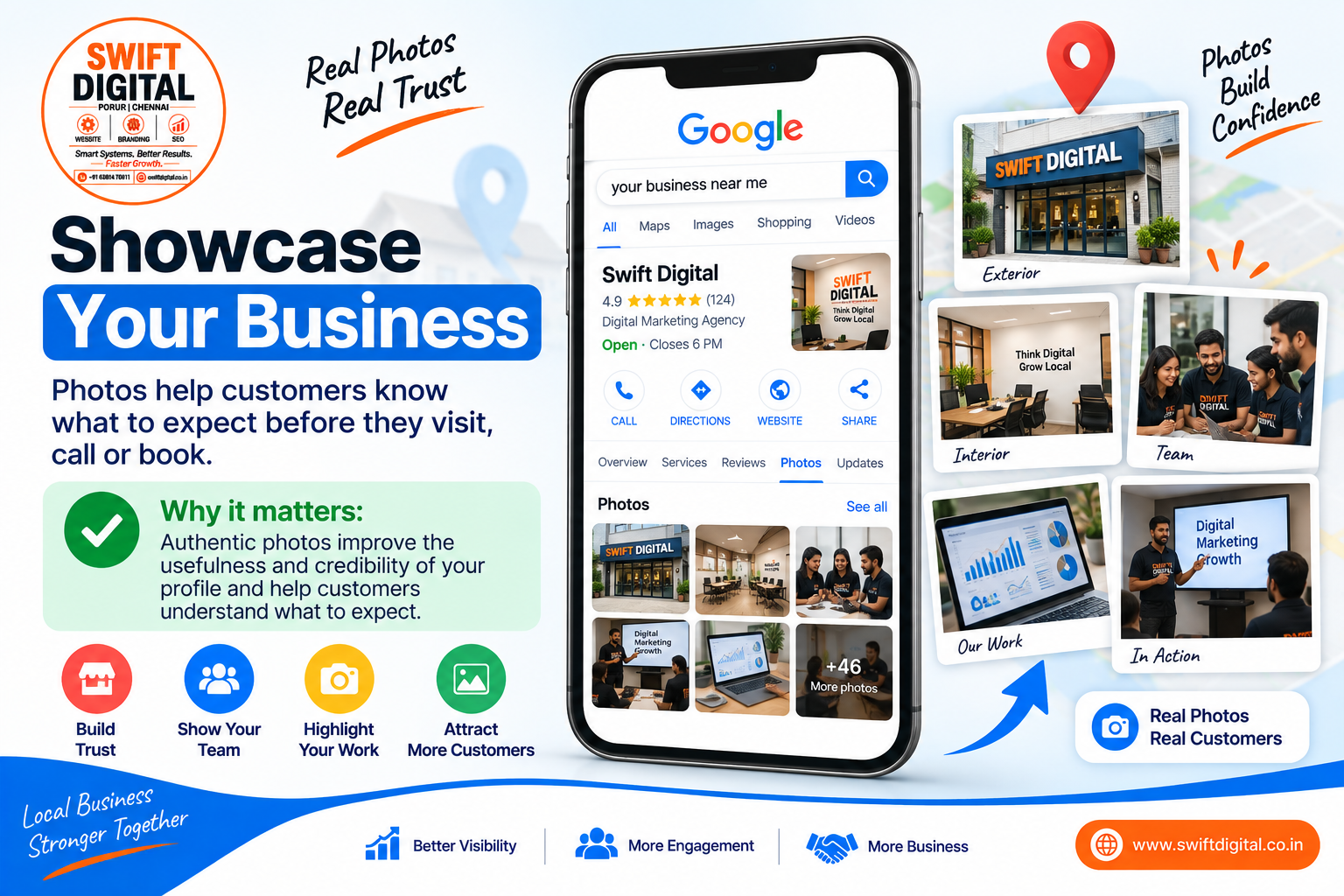
Photos make your profile more useful and help potential customers understand your business.
Instead of focusing on an arbitrary target such as 50 images, focus on building a useful library of real, high-quality photographs.
Depending on your business, consider adding:
Exterior photos
Interior photos
Team photos
Photos of your work
Product photos
Before-and-after photos where appropriate
Equipment
Projects
Customer-facing areas
Brand assets
Google recommends that Business Profile photos accurately represent the business and provides specific quality and format requirements.
Avoid relying on stock images.
Also, don't assume that geotagging an image automatically improves rankings. There isn't a current Google guideline stating that EXIF geotags provide a direct local ranking boost.
Why it matters: Authentic photos improve the usefulness and credibility of your profile and help customers understand what to expect.
9. Encourage Customers to Leave Genuine Reviews and Photos
Reviews are an important part of local search visibility and customer trust.
Google states that reviews and positive ratings can contribute to local prominence.
After completing a genuine customer transaction, you can politely ask the customer to leave an honest review.
You can also let customers know that they may add relevant photos if they want to share their experience.
For example:
Thank you for choosing us. If you have a moment, we'd appreciate an honest Google review about your experience. If you'd like, you can also add a photo that helps describe the service you received.
Don't:
Buy reviews
Create fake reviews
Offer rewards in exchange for reviews
Ask only customers you know will leave positive reviews
Tell customers exactly what they must write
Google provides a review link that businesses can share with customers.
Why it matters: Genuine customer feedback can strengthen trust and contribute to your business's prominence.
10. Publish Google Business Profile Posts Consistently
Once your profile is complete, keep it active with useful updates.
Google Business Profile Posts can be used for:
Business updates
Offers
Events
Announcements
Educational content
New services
Seasonal information
Customer-focused updates
Google confirms that Business Profile posts can appear on Search and Maps and can include text, photos, videos and action buttons.
A simple posting schedule could be:
Week 1
Service spotlight
Explain one of your main services and link to the relevant website page.
Week 2
Educational post
Answer a common customer question.
Week 3
Customer success story
Share a genuine customer experience, where you have permission to do so.
Week 4
Offer or announcement
Promote a genuine offer, event, launch or business update.
Consistency is useful, but posting alone should not be presented as a guaranteed ranking factor. The primary objective should be keeping customers informed and providing useful, relevant content.
Why it matters: Regular, useful updates keep your profile current and provide additional opportunities to communicate with customers.
Final Thoughts
Creating a Google Business Profile is not the finish line. It is the foundation of your local search strategy.
If you want to improve your visibility for “near me” searches, focus on the fundamentals: make your profile accurate, make your services clear, create useful website content, collect genuine customer reviews, publish helpful updates and build your overall online prominence.
Most importantly, don't chase shortcuts.
Google's local ranking system considers relevance, distance and prominence, and no business can guarantee a particular Maps position simply by completing a checklist.
For businesses that want help with Google Business Profile optimization and Local SEO, you can learn more about Swift Digital's digital marketing services.


