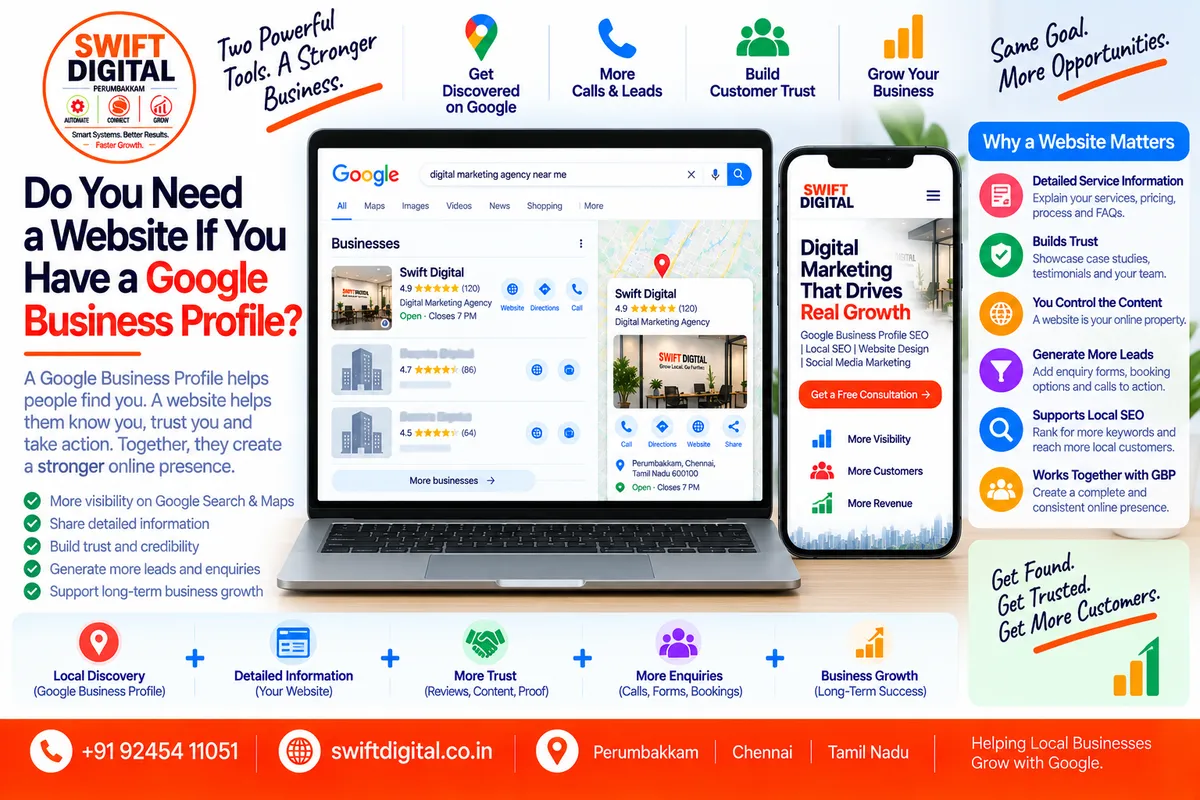
Do You Need a Website for Google Business Profile?
A Google Business Profile and a website serve different purposes.
Your Google Business Profile helps your business appear across Google Search and Google Maps and gives customers important information about your business.
Your website gives customers a dedicated place to learn more about your business, services, products, locations, expertise, and how to contact you.
Google specifically allows eligible businesses to maintain a Business Profile and says businesses can provide their website, phone number, hours, location or service area, photos, reviews, and other information through the profile.
So the question isn't simply:
"Do I need a website?"
A better question is:
"What role should my website play alongside my Google Business Profile?"
1. Can You Have a Google Business Profile Without a Website?
Yes.
A website is not an absolute requirement for an eligible Google Business Profile.
Google's documentation explains that businesses can add or claim a Business Profile and provide information such as their business hours, phone number, location, website, photos, and reviews.
Google's Business Profile definition also states that businesses without a website can still use Business Profile and Google Ads products.
This means a small business can start with:
Google Business Profile
Business name
Primary category
Phone number
Hours
Address or service area
Services
Photos
Reviews
and begin building its online presence.
But that doesn't mean a website has no value.
2. What Does a Google Business Profile Do?
Think of your Google Business Profile as your local presence on Google's platforms.
It can help customers discover information such as:
Business name
Category
Address
Service area
Phone number
Opening hours
Website
Services
Products, where eligible
Photos and videos
Reviews
Attributes
Posts and other profile information
Google describes Business Profile as a way to manage how your business appears on Google Search and Maps.
For a customer searching:
"digital marketing agency near me"
the Business Profile can provide an immediate way to discover and contact a local business.
That's extremely useful.
But there is another stage of the customer's journey.
3. What Does a Website Do?
A website gives you significantly more space to explain your business.
For example, a digital marketing agency might have:
Home page
Google Business Profile optimization page
Local SEO page
Website design page
Google Ads page
About page
Case studies
Blog
Contact page
FAQ
Location pages
Instead of trying to explain everything inside the Business Profile, the profile can introduce the business and the website can provide the deeper information.
Google itself allows businesses to add their website to their Business Profile.
4. Google Business Profile vs Website
Google Business Profile | Business Website |
|---|---|
Appears on Google Search and Maps | Exists on your own domain |
Excellent for local discovery | Useful for detailed information |
Displays reviews | Can showcase testimonials and case studies |
Shows business hours | Can provide detailed service information |
Shows phone/contact options | Can provide forms and booking systems |
Shows photos and videos | Can host extensive media |
Shows services | Can create dedicated service pages |
Useful for Maps visibility | Supports broader organic search visibility |
Google controls the platform | You control your website content |
Limited page structure | Flexible content structure |
The two should work together, rather than being treated as competing assets.
5. Why a Website Can Be Valuable for Local SEO
Google says local search results are primarily influenced by:
Relevance
Distance
Prominence
Google also recommends keeping Business Profile information complete and accurate.
Your website can support the broader information ecosystem around your business.
For example, your website can clearly explain:
What services you provide
Which customers you serve
Where you operate
What makes your business different
Your experience
Your service process
Frequently asked questions
Your contact information
Google also says that information in local listings can come from publicly available web content, including a business's official website.
That makes maintaining accurate information across your Business Profile and website important.
6. Your Website Should Support Your Business Profile
One common mistake is treating the website as a completely separate project.
Instead, connect the two.
For example:
Google Business Profile
↓
Website
↓
Service Page
↓
Contact / Booking
A customer might discover your business through Google Maps, visit your website to understand your services, and then call or submit an enquiry.
This creates a connected customer journey.
7. What Should You Put on Your Website?
At minimum, a local business website should clearly communicate:
Business Information
Include:
Business name
Phone number
Website domain
Business location, where applicable
Service areas, where applicable
Opening hours
Contact information
Keep important information consistent with your Business Profile.
8. Create Dedicated Service Pages
Don't put every service on one giant page if each service deserves its own explanation.
For example, a local SEO agency might have:
/local-seo/
/google-business-profile-optimization/
/google-ads/
/website-design/
Each page can explain:
What the service is
Who it's for
What is included
Process
Frequently asked questions
Examples
Call to action
This gives visitors much more information than a short Business Profile service description.
9. Create Location Pages When They Are Genuine
Businesses serving multiple genuine locations may benefit from useful location-specific pages.
For example:
/chennai//perumbakkam//tambaram/
But don't create dozens of nearly identical pages simply to target different city names.
A location page should contain genuinely useful local information.
It might include:
Services available in that area
Actual service coverage
Local customer information
Relevant photos
Location-specific details
Testimonials where appropriate
Directions or contact information
Useful FAQs
Avoid creating thin pages whose only purpose is inserting a city name.
10. What About Service-Area Businesses?
A website can be particularly useful for service-area businesses.
For example:
Plumbers
Electricians
Pest control companies
Cleaning companies
Digital marketing agencies
Home repair services
Consultants
Mobile service providers
A service-area business may not have a customer-facing storefront.
Its website can therefore explain:
Areas served
Services
Service process
Booking/contact process
FAQs
Customer experience
Relevant proof of work
Your Google Business Profile and website can then communicate a consistent picture of the business.
11. Your Google Business Profile Website Link
If you have a website, add the appropriate website URL to your Business Profile.
Google's current Business Profile guidance says the website URL should use the complete URL, including http:// or https://, and Googlebot should not be blocked from accessing the site.
For a single-location business, this might be:
https://example.com/
For some businesses, a relevant location or service page may be more useful if it accurately represents the business and location.
The important principle is:
Send customers to the page that best satisfies their intent.
12. Should You Link Your Homepage or a Landing Page?
It depends on the business.
Homepage
A homepage can make sense when:
You have one primary location
Your homepage clearly explains your business
You offer a small number of services
Your homepage is the strongest overall business page
Location Page
A location page can make sense when:
You have multiple genuine locations
Each location has a dedicated page
The page contains useful information about that location
Service Page
A service page can be useful when:
A specific service is central to the customer's search
The page provides detailed information
The page accurately represents the business
Don't create landing pages simply because you want to target more keywords.
13. Does Having a Website Guarantee Better Google Maps Rankings?
No.
A website does not guarantee a higher position in Google Maps.
Google states that local rankings are primarily based on relevance, distance, and prominence. Google also says there is no way to request or pay for a better local ranking.
Your website should therefore be viewed as one part of a broader local SEO system, not a shortcut to a specific ranking.
Other important areas include:
Accurate Business Profile information
Appropriate categories
Services
Reviews
Photos
Business prominence
Website quality
Local relevance
Customer experience
Accurate business information across the web
14. Website + Google Business Profile = Stronger Customer Journey
Consider this example.
A customer searches:
"Google Business Profile agency near me"
They discover your Business Profile.
They see:
Rating
Reviews
Services
Photos
Hours
Phone number
They then click your website.
On the website they find:
Detailed GBP services
Pricing information or enquiry options
Case studies
FAQs
About the company
Contact form
The customer now has more information before making contact.
The Business Profile helped with discovery.
The website helped with research and conversion.
15. Your Website Can Build Trust
A Business Profile provides useful trust signals, particularly reviews and business information.
Your website can add another layer of credibility through:
About Us
Explain who you are and what your business does.
Team
Introduce the people behind the business when appropriate.
Case Studies
Show real examples of work.
Testimonials
Display genuine customer feedback.
Portfolio
Show completed projects where appropriate.
FAQs
Answer common customer questions.
Contact Information
Make it easy for customers to reach you.
The objective is not to make the website look impressive for its own sake.
The objective is to help customers make an informed decision.
16. Add LocalBusiness Structured Data
For appropriate local business websites, structured data can help Google understand business information.
Google's documentation says LocalBusiness structured data can communicate information such as business hours and other business details. Google recommends using the most specific applicable LocalBusiness subtype.
For example, depending on the business, structured data may communicate information such as:
Business name
Address
Phone
Website
Opening hours
Business type
Structured data should accurately represent the visible information on the page.
It should not be used to make misleading claims.
17. Keep Your NAP Information Consistent
NAP means:
Name
Address
Phone
Where applicable, keep these details consistent across:
Google Business Profile
Website
Local directories
Business listings
Social profiles
Other authoritative business references
Google gathers business information from multiple sources, including websites and third-party data.
Consistency helps reduce confusion about which information represents the actual business.
18. What If You Don't Have the Budget for a Website?
You don't necessarily need to build a huge website immediately.
Start with a useful, professional website containing:
Home
Services
About
Contact
Location/service-area information
FAQs
Then expand over time.
You can later add:
Service pages
Location pages
Case studies
Blog content
Resources
Booking
Lead-generation pages
A small useful website is generally more valuable than a large website filled with thin or duplicated content.
19. Common Mistakes to Avoid
Mistake 1: Treating GBP as a Complete Website Replacement
Your Business Profile is valuable, but it has a different purpose from a full website.
Mistake 2: Building a Website Without Connecting It to GBP
Add the correct website URL to your Business Profile.
Mistake 3: Creating Thin Location Pages
Don't create dozens of nearly identical city pages.
Mistake 4: Keyword Stuffing
Don't fill your website or Business Profile with unnatural repetitions of local keywords.
Mistake 5: Inconsistent Business Information
Avoid different phone numbers, addresses, names, or hours without a legitimate reason.
Mistake 6: Creating Fake Locations
Never create location pages or Business Profiles for locations where you don't genuinely operate.
Mistake 7: Ignoring Mobile Users
Many local searches happen on mobile devices. Make sure your website is easy to navigate and contact from a phone.
20. What Should a Local Business Website Include?
Use this checklist:
Essential
Business name
Phone number
Contact page
Services
Business description
Location/service area
Opening hours where applicable
Clear calls to action
Mobile-friendly design
Secure HTTPS
Google Business Profile link
Local SEO
Consistent NAP
Relevant service pages
Genuine location pages where needed
Internal linking
LocalBusiness structured data where appropriate
Search-friendly page titles
Useful meta descriptions
Local proof and content
Conversion
Click-to-call
Contact form
Booking option where appropriate
WhatsApp/contact option where appropriate
Reviews/testimonials
Case studies or portfolio
FAQs
21. A Simple Website + GBP Strategy
For most local businesses, think of the system like this:
Step 1 — Google Business Profile
Make the profile accurate and complete.
Step 2 — Website
Create a professional website that explains the business.
Step 3 — Service Pages
Explain important services in detail.
Step 4 — Location Content
Create useful location-specific content when genuinely relevant.
Step 5 — Connect GBP and Website
Use the correct website URL in the Business Profile.
Step 6 — Build Trust
Collect genuine reviews and publish useful proof of your work.
Step 7 — Measure
Track:
Business Profile performance
Website traffic
Calls
Form submissions
Booking enquiries
Search Console performance
Relevant local search visibility
Google provides Business Profile performance information such as interactions and other performance data to help businesses understand how customers find and interact with their profile.
22. 30-Day Website + Google Business Profile Action Plan
Week 1 — Foundation
Audit your Business Profile
Verify business information
Check phone number
Check hours
Check category
Check website URL
Review service areas
Audit NAP consistency
Week 2 — Website
Improve homepage
Add service pages
Add contact information
Add clear calls to action
Make the website mobile-friendly
Check page speed and usability
Week 3 — Local SEO
Review location information
Improve internal links
Add relevant local content
Implement appropriate LocalBusiness structured data
Connect website and Business Profile
Review important directory listings
Week 4 — Trust & Measurement
Review customer feedback
Add genuine testimonials where appropriate
Publish useful website content
Review Business Profile performance
Review Search Console data
Track calls and enquiries
Identify content gaps
Frequently Asked Questions
Can I have a Google Business Profile without a website?
Yes. An eligible business can have a Business Profile without having a website.
Is a website required for Google Maps?
A website is not required simply to have an eligible Business Profile on Google Maps.
Does a website improve Google Maps ranking?
A website does not guarantee improved Maps rankings. Google's local ranking system primarily considers relevance, distance, and prominence.
Should my Google Business Profile link to my homepage?
It can, particularly for a single-location business. However, if a different relevant page better represents the business or location, that page may be appropriate.
Do service-area businesses need websites?
They don't necessarily need one to maintain an eligible Business Profile, but a useful website can provide additional information about services, coverage areas, processes, and customer enquiries.
Should I create a page for every city I serve?
Not automatically. Create location pages when they provide genuinely useful, location-specific information. Avoid large collections of nearly identical pages.
Can my website and Google Business Profile have different information?
Important business information should generally be consistent and accurate across both. Google gathers information from multiple sources, including websites and other web sources.
Final Thoughts
A Google Business Profile and a website are not substitutes for each other.
Your Business Profile can help customers discover your business through Google Search and Maps.
Your website can give those customers a deeper understanding of your:
Services
Expertise
Locations
Products
Reviews
Case studies
FAQs
Contact options
For many local businesses, the most useful approach is to build a connected ecosystem:
Google Business Profile → Website → Service/Location Page → Contact or Booking
Start with an accurate, useful Business Profile. Then build a website that genuinely helps customers understand and choose your business.
The goal isn't simply to have more online assets.
The goal is to make it easier for the right local customers to discover, understand, trust, and contact your business.
Official sources
Google: Tips to improve your local ranking
Google: Get started with Business Profile
Google: Edit your Business Profile
Google Search Central: LocalBusiness structured data
Note: Some of the previously uploaded GBP reference files have expired. I based this post on the established blog structure plus current Google documentation; if you want Post 27 specifically aligned line-by-line with one of those uploaded playbooks/checklists, re-upload that file and I can adapt it to the source.


