GMB 10 Rules to Rule: Google Business Profile Optimization Framework
If you want to build a stronger Google Business Profile, don't optimize only one element.
Your category, services, website, service areas, photos, reviews, and content should all tell a consistent story about your business.
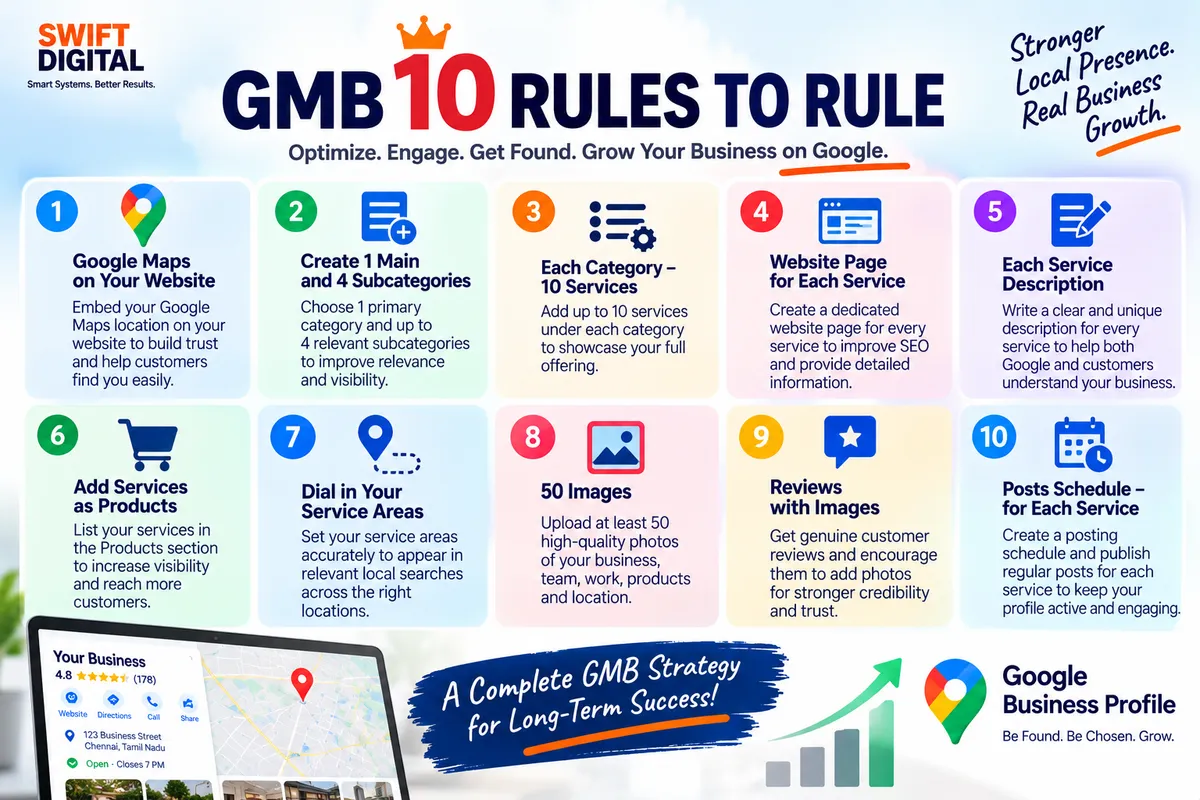
Our 10-rule framework is:
Google Maps on your website
Create 1 main and up to 4 relevant subcategories
Build a strong service structure
Create a website page for each important service
Write a useful description for every service
Use Products appropriately
Dial in your service areas
Build a strong photo library
Generate genuine reviews and customer photos
Schedule posts around your services
Let's examine each rule.
Rule 1: Put Google Maps on Your Website
If your business has a physical location customers can visit, make it easy for visitors to understand where you are.
A website can include:
Google Maps location
Address
Directions
Phone number
Opening hours
Contact information
Parking information
Nearby landmarks where useful
For a storefront business, a map can be particularly useful on the Contact or Location page.
For a service-area business that does not receive customers at its address, the website should instead clearly explain the areas it serves.
Google uses publicly available information, including information from a business's official website, as one source for local listing information.
Important
Adding a Google Map to your website does not automatically improve your Google Maps ranking.
Its primary benefit is helping customers understand your location and improving the usefulness of your website.
Action Checklist
Add an appropriate map where relevant
Display accurate business information
Make directions easy to find
Add your phone number
Keep website and Business Profile information consistent
Rule 2: Create 1 Main Category and Relevant Subcategories
Your primary category is one of the most important pieces of Business Profile information.
Google recommends choosing the category that best describes what your business is, rather than choosing categories simply for individual products or services. Google also says additional categories can be used when they genuinely describe the business.
Our practical framework is:
1 primary category + up to 4 highly relevant additional categories
But do not force four categories if only one or two accurately describe the business.
For example, a business might have:
Primary category:
Digital Marketing Agency
Additional categories:
Internet Marketing Service
Marketing Consultant
Advertising Agency
Web Design Company
The exact categories available depend on Google's category list and the business.
Never Do This
Don't select categories simply because they contain keywords you want to rank for.
Google specifically advises businesses to select categories that describe the business rather than every product, service, or amenity it offers.
Action Checklist
Choose the most accurate primary category
Research relevant additional categories
Use only categories that genuinely describe the business
Don't create custom categories
Don't use categories as keyword stuffing
Rule 3: Build a Strong Service Structure
Once your categories are established, organize your services.
A useful planning framework is:
Up to 10 important services per category
For example:
Digital Marketing Agency
Local SEO
Google Business Profile optimization
Google Maps SEO
Search engine optimization
Google Ads
Social media marketing
Content marketing
Website design
Landing page design
Reputation management
This gives you a structured service inventory.
However, 10 is a planning target, not a Google requirement.
Only list services your business actually provides.
Google's Services Editor allows eligible businesses to add services, organize them into categories, and provide additional details such as descriptions and prices.
Why This Structure Helps
It makes your offering clearer to:
Customers
Google
Website visitors
Sales teams
Marketing teams
It also gives you a content framework for your website and Google Business Profile posts.
Rule 4: Create a Website Page for Each Important Service
Don't stop at adding a service to your Business Profile.
If a service is commercially important, consider creating a dedicated website page.
For example:
GBP Services
→ Google Business Profile Optimization
→ Google Maps SEO
→ Local SEO
→ Google Ads
→ Website Design
Each important service can have its own page.
A Good Service Page Can Include
Service overview
Who the service is for
Benefits
Process
Deliverables
FAQs
Examples
Testimonials
Call to action
Contact information
This creates a clear connection:
Google Business Profile → Service → Website Page → Enquiry
Rule 5: Write a Useful Description for Every Service
Adding a service name alone isn't enough when the platform gives you an opportunity to explain it.
For every important service, create a useful description.
For example:
Google Business Profile Optimization
We optimize eligible Google Business Profiles by improving business information, categories, services, photos, review management, and local SEO consistency.
Keep descriptions:
Accurate
Customer-focused
Natural
Specific
Easy to understand
Avoid stuffing the same keyword repeatedly.
Google's Business Profile guidelines emphasize useful, relevant, honest information.
Remember
Don't turn a service description into a list of keywords.
Write for the customer first.
Rule 6: Add Services as Products — But Only Where Appropriate
This rule needs an important clarification.
Some older GMB optimization strategies recommend putting services into the Products section.
That isn't appropriate for every business.
Google's Product Editor is intended for businesses that sell physical goods, while service businesses should use the Services Editor. Google specifically distinguishes Products from Services in its Business Profile tools.
Therefore:
Retail Business
Use Products for genuine physical products.
Service Business
Use the Services section for genuine services.
Hybrid Business
Use Products for eligible physical goods and Services for services.
Do not create fake products simply to insert keywords.
This is an important compliance point.
Rule 7: Dial In Your Service Areas
For service-area businesses, service areas need to accurately represent where you actually operate.
Examples:
Perumbakkam
Medavakkam
Tambaram
Pallikaranai
Velachery
Your service area should reflect genuine business operations.
Don't create fake service locations just because you want to appear in searches there.
Google requires businesses to accurately represent their service area and business information.
Your Service-Area Strategy
Create a master list:
Area | Actually Served? | Website Content? | Priority |
|---|---|---|---|
Area A | Yes | Yes | High |
Area B | Yes | Yes | High |
Area C | Yes | Yes | Medium |
Area D | No | No | Exclude |
The objective isn't to list every possible location.
The objective is to accurately communicate where your business operates.
Rule 8: Build a 50-Image Photo Library
Our practical framework is:
Aim for approximately 50 useful, genuine business images over time.
But remember:
50 is not a Google requirement.
Google's official guidance does not say that every Business Profile needs exactly 50 photos.
Instead, Google recommends useful, high-quality photos that accurately represent the business. Photos can include the exterior, interior, products, and services.
Example 50-Photo Plan
10 Business/Location Photos
Exterior
Entrance
Signage
Reception
Workspace
10 Service Photos
Work being performed
Service process
Equipment
Deliverables
Team working
10 Team Photos
Team members
Staff at work
Customer-facing activities
10 Product/Project Photos
Products
Completed work
Before/after where appropriate
Finished projects
10 Supporting Photos
Events
Facilities
Equipment
Customer experience
Business activities
Photo Quality Matters
Google recommends photos that are:
In focus
Well lit
Representative of reality
Not excessively altered
Google's current photo guidance recommends JPG or PNG, 10 KB–5 MB, with 720×720 px recommended resolution and at least 250×250 px.
Rule 9: Build Genuine Reviews and Customer Photos
Reviews are an important part of your local presence.
Google says reviews can help businesses stand out and that reviews are one of the factors associated with local prominence.
The strategy should be:
Deliver a good customer experience → ask customers for genuine feedback → respond professionally.
Don't buy reviews.
Don't create fake reviews.
Don't offer incentives in exchange for reviews.
Don't ask customers to write something untrue.
What About Reviews With Images?
Customer-uploaded photos can provide useful real-world context.
Customers can post photo updates about businesses through Google Maps.
You can encourage customers to share their genuine experience, but don't pressure them to upload a photo or provide an incentive for doing so.
Review Request Example
Hi [Name], thank you for choosing [Business Name]. If you have a moment, we'd appreciate your honest feedback about your experience on Google. Your feedback helps us improve and helps other customers understand our services.
Simple. Genuine. Policy-friendly.
Rule 10: Schedule Posts Around Your Services
Your Google Business Profile content should support your actual business activity.
Instead of posting random content, build a content calendar around your services.
For example, if you have 10 core services:
Week 1
Post about Service 1.
Week 2
Post about Service 2.
Week 3
Post about Service 3.
Continue through the service list.
Then repeat with a different angle.
Content Ideas
For each service, create:
Service explanation
FAQ
Customer problem
Before/after story where appropriate
Case study
Tip
Common mistake
Process explanation
Customer testimonial
Offer or event where genuinely applicable
Google Business Profile posts can be used to communicate relevant and timely information to customers.
Important Post Rule
Don't put phone numbers directly into the post text. Google says Business Profile post content shouldn't include phone numbers; businesses can instead use the available call-to-action button with the verified profile phone number.
The 10 Rules Working Together
The real power comes from connecting the rules.
Think of the structure like this:
Primary Category
↓
Additional Relevant Categories
↓
Services
↓
Service Descriptions
↓
Website Service Pages
↓
Service Areas
↓
Photos
↓
Genuine Reviews
↓
Posts
↓
Customer Enquiries
This creates a consistent information system around your business.
Example: Digital Marketing Agency
Let's put the framework into practice.
Primary Category
Digital Marketing Agency
Additional Categories
Only categories that genuinely represent the business.
Core Services
Google Business Profile Optimization
Google Maps SEO
Local SEO
Website Design
Google Ads
Social Media Marketing
Content Marketing
Reputation Management
Landing Page Design
SEO Consulting
Website
Create a dedicated page for each important service.
Google Business Profile
Add eligible services with useful descriptions.
Photos
Publish genuine images of:
Team
Workspace
Projects
Client work where permitted
Events
Business activities
Reviews
Ask genuine customers for honest feedback.
Posts
Create useful content around each service.
Now every major part of the online presence supports the same business story.
Does This Guarantee a #1 Google Maps Ranking?
No.
This framework is an optimization system—not a ranking guarantee.
Google states that local ranking is primarily based on relevance, distance, and prominence. It also says there is no way to request or pay for a better local ranking.
Your objective should therefore be to build a profile that is:
Accurate
Complete
Relevant
Useful
Trustworthy
Policy-compliant
Consistent with your website and real-world business
30-Day GMB 10 Rules Implementation Plan
Days 1–3: Category Foundation
Audit primary category
Research relevant additional categories
Remove inaccurate categories
Confirm business information
Days 4–7: Services
Build service inventory
Group services logically
Add important services
Write useful descriptions
Days 8–12: Website
Audit homepage
Create priority service pages
Improve internal linking
Add contact information
Review local information
Days 13–16: Service Areas
List actual areas served
Remove areas you don't serve
Review website location content
Days 17–21: Photos
Audit existing photos
Create a photo plan
Add genuine business images
Organize photos by business activity
Days 22–25: Reviews
Create a review request process
Ask genuine customers
Respond to existing reviews
Monitor new reviews
Days 26–30: Posts
Create a service-based content calendar
Prepare posts
Schedule/publish according to available Business Profile functionality
Monitor engagement and customer actions
GMB 10 Rules Checklist
Profile
Business information is accurate
Primary category is correct
Additional categories are genuinely relevant
Services
Core services identified
Services grouped logically
Descriptions written
Service information matches the website
Website
Homepage optimized
Important service pages created
Contact information visible
Local information accurate
Map included where appropriate
Products
Products used only for eligible physical goods
Services kept in Services Editor where appropriate
Service Areas
Actual areas listed
No fake locations
Website reflects genuine coverage
Photos
Exterior/location photos
Interior/workspace photos
Team photos
Service/project photos
Product photos where relevant
Images represent reality
Reviews
Genuine review process
Review requests sent
Reviews answered
No fake or incentivized reviews
Posts
Service content calendar
Educational posts
FAQs
Updates
Offers/events where relevant
Regular monitoring
Final Thoughts
The GMB 10 Rules to Rule framework is designed to make Google Business Profile optimization systematic rather than random.
The framework can be summarized as:
1. Connect Google Maps and your website
2. Choose the right primary and additional categories
3. Build a structured service list
4. Create useful website pages for important services
5. Write useful service descriptions
6. Use Products correctly—not as a substitute for Services
7. Define genuine service areas
8. Build a strong library of real business photos
9. Generate genuine reviews and customer content
10. Build a service-focused Google Business Profile content calendar
The numbers—4 additional categories, 10 services per category, 50 photos—should be treated as practical planning targets, not Google's required ranking formula.
The foundation remains the same:
Relevance + Distance + Prominence + Accurate Information + Customer Experience.
Don't chase a magic number.
Build a Business Profile that accurately represents the real business and makes it easy for customers to discover, understand, trust, and contact you.


