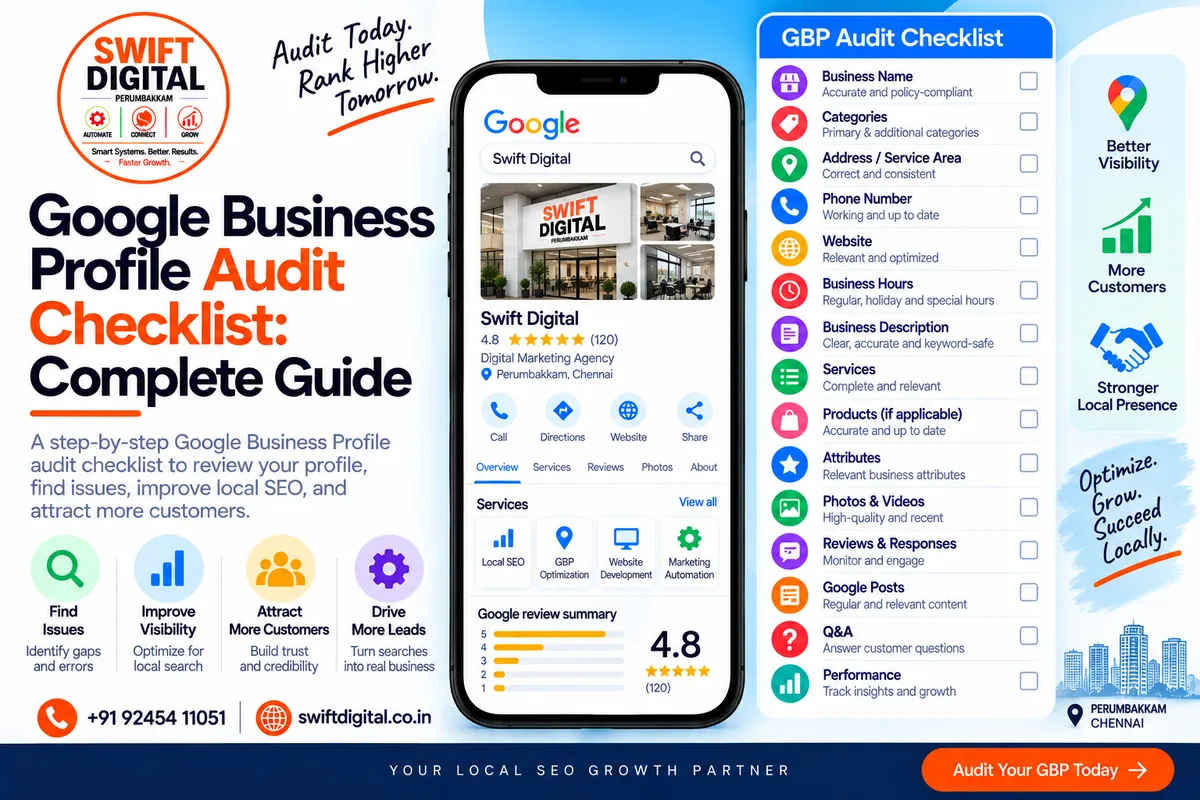
Google Business Profile competitor analysis and local SEO research
A Google Business Profile audit helps you determine whether your profile is complete, accurate, policy-compliant, customer-friendly, and aligned with your broader local SEO strategy.
A profile audit isn't simply about checking whether every available field has been filled in.
You need to evaluate the accuracy, relevance, consistency, quality, and usefulness of the information customers see.
Google says businesses with complete and accurate information are more likely to appear in relevant local search results, while local ranking is primarily based on relevance, distance, and prominence.
This guide provides a practical audit framework you can use for a single business, a service-area business, or a multi-location organization.
What Is a Google Business Profile Audit?
A Google Business Profile audit is a systematic review of your Business Profile and related local SEO assets.
A complete audit can cover:
Business name
Primary category
Additional categories
Address
Service area
Phone number
Website
Hours
Business description
Services
Products
Attributes
Photos
Videos
Reviews
Review responses
Posts
Q&A where applicable
Website
Local landing pages
NAP consistency
Citations
Local backlinks
Performance
Policy compliance
The goal is to identify:
What is correct?
What is missing?
What is outdated?
What is inconsistent?
What needs improvement?
Google Business Profile Audit Scoring System
You can use this simple system for internal auditing.
High Priority
Issues that could affect:
Accuracy
Eligibility
Verification
Policy compliance
Customer access
Business information
Medium Priority
Issues that could improve:
Relevance
Customer experience
Website alignment
Content quality
Local visibility
Low Priority
Enhancements that improve:
Completeness
Presentation
Reporting
Ongoing maintenance
This is an operational priority system, not a Google ranking score.
1. Business Name Audit
Your Business Profile name should represent the business's real-world name.
Google specifically says the business name should match how the business is represented in the real world, including signage, stationery, and other branding.
Check:
Correct legal/real-world business name
Consistent branding
No unnecessary keywords
No location stuffing
No promotional text
No unnecessary services
No phone number in the name
No misleading information
Example
Correct:
Swift Digital
Potentially problematic:
Swift Digital – Best SEO & Google Maps Agency Chennai
Don't add keywords simply because competitors appear to be doing it.
Priority: High
Recommended Fix
Use the real-world business name consistently.
2. Primary Category Audit
Your primary category is one of the most important fields to review.
Google recommends selecting the category that best represents what the business is, rather than what it has or every service it provides.
Check:
Primary category exists
Category accurately represents the business
Category is specific where appropriate
Category is supported by Google's available options
Category reflects the core business
Category isn't being used as a keyword
Key question:
If someone asked, "What type of business is this?", would the primary category be an accurate answer?
Priority: High
3. Additional Category Audit
Review all additional categories.
Google says businesses should use as few categories as necessary to describe the overall core business and choose categories that are specific and representative.
Check:
Every category is relevant
No unnecessary categories
No category selected just for a keyword
No category describing an unrelated service
No category describing an attribute
Categories reflect the actual business
Priority: High
Recommended Fix
Remove irrelevant categories and retain only categories that genuinely describe the business.
4. Address Audit
For businesses with a customer-facing location, verify:
Full street address
Correct city
Correct postal code
Correct country
Correct map pin
Customers can actually visit the location
Address matches the real-world business
Google requires businesses to accurately represent their address and/or service area.
Priority: High
5. Service Area Audit
For service-area businesses:
Service areas are accurate
Areas are actually served
No fake locations
No unnecessary geographic expansion
Website communicates service coverage accurately
Service area matches the business model
Google allows businesses that serve customers in a specific area to define their service area using cities, postal codes, or other supported areas.
Priority: High
6. Phone Number Audit
Check:
Correct phone number
Number reaches the business
Country code is correct where appropriate
Website phone number is consistent
Major business listings use appropriate information
No misleading tracking setup
The number should make it easy for customers to contact the actual business.
Priority: High
7. Website URL Audit
Check that the website:
Loads correctly
Uses HTTPS
Represents the business
Is mobile-friendly
Contains accurate contact information
Matches the Business Profile
Provides useful information
Doesn't redirect users to an unrelated destination
For businesses with multiple locations, consider whether each location should have a relevant dedicated landing page.
Priority: High
8. Business Hours Audit
Review:
Regular opening hours
Holiday hours
Special hours
Temporary closures
Seasonal changes
Website consistency
Google allows businesses to set special hours for holidays, temporary closures, and other events.
Incorrect hours can create a poor customer experience even if the rest of the profile is well optimized.
Priority: High
9. Business Description Audit
Google says the description should provide useful information about services and products, as well as the business's mission and history. It should be relevant and honest.
Check:
Clearly explains the business
Describes relevant services/products
Uses natural language
Provides useful information
Doesn't contain unnecessary promotional claims
Doesn't contain URLs
Doesn't contain keyword stuffing
Is within Google's character limit
Google's current editing guidance states the description field cannot exceed 750 characters and should not include URLs or HTML.
Priority: Medium
10. Services Audit
Review your Services section.
Check:
All important services are listed
Services are genuinely offered
Service categories are logical
Service names are clear
Descriptions are useful
No keyword stuffing
Website service pages match
Outdated services are removed
For service businesses, this is especially important because your service information should clearly communicate what customers can actually purchase.
Priority: High
11. Products Audit
Where Products are applicable:
Relevant products are listed
Product names are accurate
Product descriptions are useful
Images represent actual products
Prices are accurate where shown
Outdated products are removed
Product policies are followed
Don't use Products to disguise services as physical products.
Priority: Medium
12. Attributes Audit
Attributes can provide customers with useful factual information about the business.
Depending on the business, attributes may include:
Accessibility
Payment options
Wi-Fi
Amenities
Service options
Other business-specific information
Google's Business Profile editing guidance confirms that attributes communicate additional information about a business.
Check:
Relevant attributes completed
Information is accurate
No false attributes
Attributes match actual customer experience
Priority: Medium
13. Photos Audit
Photos are an important part of the customer-facing profile.
Google recommends authentic, high-quality business imagery and provides category-specific recommendations for photos.
Check:
Logo
Cover photo
Exterior photos
Interior photos
Product photos where applicable
Service/work photos
Team photos where appropriate
Recent images
High-quality images
Real business photos
Google currently recommends photos be JPG or PNG, between 10 KB and 5 MB, with a recommended resolution of 720 × 720 pixels and a minimum of 250 × 250 pixels.
Priority: Medium
14. Video Audit
Where useful, review:
Business videos
Service demonstrations
Product videos
Authentic footage
Appropriate quality
Policy compliance
Google currently states Business Profile videos can be up to 30 seconds and up to 75 MB, with 720p or higher resolution.
Priority: Low–Medium
15. Review Audit
Review:
Total review count
Average rating
Recent reviews
Review frequency
Review themes
Negative reviews
Business responses
Policy-violating reviews
Don't judge a profile solely by its star rating.
Review the actual customer feedback to identify recurring issues and strengths.
Google says reviews must reflect genuine experiences and prohibits incentives in exchange for reviews or changes to reviews.
Priority: High
16. Review Response Audit
Check whether the business:
Responds consistently
Thanks customers
Addresses genuine concerns
Remains professional
Avoids arguments
Protects private information
Provides an appropriate resolution path
Google says responding to reviews shows customers that their feedback matters.
Priority: Medium
17. Review Acquisition Process Audit
Check whether the business has a legitimate process for requesting reviews.
Possible methods include:
Email
SMS
WhatsApp
QR code
Printed receipt
Post-purchase follow-up
Google explicitly allows businesses to ask customers for reviews using a review link or QR code.
Never:
Buy reviews
Offer discounts for reviews
Ask customers to remove negative reviews in exchange for benefits
Ask only happy customers while suppressing unhappy customers
Create fake reviews
Priority: High
18. Google Posts Audit
Where Posts are available, check:
Recent updates
Relevant offers
Events where applicable
Useful content
Good images
Appropriate CTA
No misleading claims
No prohibited content
Google's Posts policy also restricts "phone stuffing" in post content; businesses can instead use the available call-to-action functionality with the verified Business Profile phone number.
Priority: Medium
19. Q&A Audit
Where the Q&A feature is available, check:
Existing questions
Accurate answers
Business responses
Inappropriate content
Unanswered questions
Misleading information
Don't create artificial questions simply to insert keywords.
Priority: Low–Medium
20. NAP Consistency Audit
NAP means:
Name
Address
Phone
Compare your information across:
Google Business Profile
Website
Social profiles
Local directories
Industry directories
Business associations
Other legitimate listings
Check:
Same business name
Correct address
Correct phone
Correct website
No duplicate listings
No outdated listings
Priority: High
21. Website Local SEO Audit
Your GBP should connect logically with your website.
Check:
Location page
Service pages
Local content
Contact page
NAP
Internal links
Mobile experience
Page speed
Clear CTAs
Local relevance
A complete GBP with a weak website can still provide a poor customer journey.
22. Local Landing Page Audit
For each location page, check:
Genuine location/service area
Unique useful content
Correct business information
Relevant services
Local information
Genuine photographs
FAQs
Clear CTA
Internal links
Appropriate structured data
Avoid creating hundreds of near-identical city pages simply to target keywords.
23. Citation Audit
Check relevant business listings for:
Business name
Address
Phone
Website
Category
Business status
Prioritize relevant and legitimate directories.
Don't create large numbers of low-quality listings simply to increase citation volume.
24. Local Backlink Audit
Review legitimate links and mentions from:
Local organizations
Industry associations
Chambers
Local publications
Partners
Community organizations
Relevant business directories
Focus on genuine relationships and useful mentions rather than link schemes.
25. Google Policy Audit
This should be one of the most important sections.
Google states that violations can lead to restrictions on content, profile access, or merchant accounts.
Check for:
Accurate business name
Correct business eligibility
Accurate location
Correct service area
Appropriate categories
No duplicate profiles
No fake locations
No fake reviews
No incentivized reviews
No misleading information
No prohibited content
No keyword-stuffed business name
Priority: Critical
26. Verification Audit
Confirm that the profile is:
Claimed
Verified
Controlled by the correct business owner/account
Accessible to authorized managers
Not affected by unresolved verification issues
Google says a business must add or claim its profile and verify it to manage the profile and appear across Google services.
Priority: Critical
27. Duplicate Profile Audit
Search Google Maps for:
Business name
Business name + city
Business phone
Business address
Old business name
Previous address
Look for duplicate or outdated profiles.
Google's guidelines state that there should generally be only one Business Profile per business.
Priority: Critical
28. Competitor Benchmark Audit
Compare your profile against legitimate competitors.
Review:
Categories
Services
Reviews
Review themes
Photos
Website
Local landing pages
Content
Citations
Customer experience
Don't treat competitors as a template to copy.
Use the research to identify legitimate gaps and opportunities.
29. Performance Audit
Your Business Profile performance data can show how customers discover and interact with the profile.
Google currently provides metrics including:
Searches
Views
Interactions
Website-related actions
Other applicable customer actions
The available metrics depend on the business.
Check:
Search terms
Profile views
Customer interactions
Website clicks
Calls where available
Directions where available
Booking-related actions where available
Reporting period
Month-over-month trends
Priority: High
30. Performance Benchmarking
Don't evaluate performance using a single month's data.
Track:
Month 1 → Month 2 → Month 3 → Month 4
Look for trends in:
Visibility
Searches
Views
Calls
Website visits
Directions
Bookings
Leads
Google allows Business Profile performance data to be viewed for selected time periods and downloaded for analysis.
Complete GBP Audit Spreadsheet
A practical audit spreadsheet can use these columns:
Audit Area | Status | Priority | Issue | Recommended Fix | Owner | Due Date |
|---|---|---|---|---|---|---|
Business Name | Pass | — | — | — | — | — |
Primary Category | Needs Review | High | Category mismatch | Review core category | SEO | Date |
Description | Pass | — | — | — | — | — |
Services | Needs Work | Medium | Missing services | Add relevant services | SEO | Date |
Photos | Needs Work | Medium | Limited recent photos | Add authentic images | Business | Date |
Reviews | Pass | — | — | — | — | — |
Website | Needs Work | High | Missing location page | Create useful page | Web | Date |
Citations | Needs Review | Medium | Inconsistent listing | Correct listing | SEO | Date |
Performance | Pass | — | — | — | — | — |
GBP Audit Priority Matrix
Critical
Fix immediately:
Verification problems
Eligibility problems
Fake location
Duplicate profiles
Misleading business information
Policy violations
Incorrect business name
High
Fix next:
Wrong primary category
Incorrect address
Incorrect service area
Wrong phone
Incorrect hours
Missing important services
Major NAP inconsistencies
Website problems
Medium
Improve after core information:
Photos
Review responses
Attributes
Posts
Local landing pages
Citations
Internal linking
Low
Ongoing enhancements:
Additional content
Expanded visual assets
Reporting refinements
Minor UX improvements
30-Day GBP Audit Action Plan
Week 1 — Core Profile
Day 1
Verify ownership and profile status.
Day 2
Audit business name.
Day 3
Audit primary category.
Day 4
Audit additional categories.
Day 5
Audit address/service area.
Day 6
Audit phone, website and hours.
Day 7
Fix critical issues.
Week 2 — Content & Customer Experience
Day 8
Audit business description.
Day 9
Audit services.
Day 10
Audit products.
Day 11
Audit attributes.
Day 12
Audit photos.
Day 13
Audit videos.
Day 14
Audit Posts and Q&A where applicable.
Week 3 — Reputation & Local SEO
Day 15
Audit reviews.
Day 16
Audit review responses.
Day 17
Review review-request process.
Day 18
Audit website.
Day 19
Audit local landing pages.
Day 20
Audit NAP.
Day 21
Audit citations.
Week 4 — Competitive & Performance Analysis
Day 22
Analyze competitors.
Day 23
Identify keyword/content gaps.
Day 24
Review local backlink opportunities.
Day 25
Review Google Business Profile performance.
Day 26
Compare historical performance.
Day 27
Create prioritized fixes.
Day 28
Implement high-priority changes.
Day 29
Document completed work.
Day 30
Create the next 90-day optimization plan.
Monthly GBP Maintenance Checklist
After the initial audit, repeat a shorter version every month.
Monthly:
Check business information
Check hours
Check categories
Check services
Check reviews
Respond to reviews
Add useful photos when available
Review customer questions
Review Posts where applicable
Check website
Check citations
Review performance
Monitor competitors
Check for duplicate or unauthorized profiles
Quarterly GBP Deep Audit
Every three months, perform a deeper review:
Profile
Categories
Services
Attributes
Photos
Videos
Description
Reputation
Review trends
Customer feedback
Response quality
Website
Local landing pages
Service pages
Internal linking
NAP
Conversion paths
Local SEO
Citations
Local mentions
Backlinks
Competitor changes
Performance
Searches
Views
Interactions
Leads
Conversion trends
What a Good GBP Audit Should Produce
At the end of your audit, you should have three documents.
1. Audit Report
Shows the current situation.
2. Priority Action List
Shows what needs to be fixed first.
3. Ongoing Growth Plan
Shows what will be improved over the next 30, 60, 90, and 120 days.
This is much more useful than simply saying:
"Your GBP is 80% optimized."
There is no universal Google score that makes a Business Profile "fully optimized."
Frequently Asked Questions
What is a Google Business Profile audit?
It is a structured review of your Business Profile, website, local SEO signals, reputation, content, and performance to identify errors and improvement opportunities.
How often should I audit my GBP?
Perform a comprehensive audit at least quarterly and monitor important information monthly.
What is the most important part of a GBP audit?
Start with accuracy, eligibility, verification, business name, category, location/service area, phone, website, and policy compliance.
These are foundational issues.
Does completing every GBP field guarantee higher rankings?
No.
Google says local rankings are primarily based on relevance, distance, and prominence.
Completeness is important, but there is no checklist that guarantees a particular ranking position.
Should I change my category to match my competitor?
Not automatically.
Choose categories that accurately describe your own business. Google specifically recommends using as few categories as necessary and selecting specific, representative categories.
How can I audit GBP performance?
Open your verified Business Profile, select Performance, choose the relevant date range, and review available metrics. Google also allows performance data to be downloaded for analysis.
Can I use competitor information in my audit?
Yes, as research and benchmarking.
Don't copy competitor content, reviews, images, business names, or other information.
Final GBP Audit Checklist
Before declaring an audit complete, verify:
Business Information
Name
Category
Address
Service area
Phone
Website
Hours
Profile Content
Description
Services
Products
Attributes
Photos
Videos
Posts
Q&A where applicable
Reputation
Reviews
Review responses
Review acquisition process
Policy compliance
Local SEO
Website
Location pages
Service pages
NAP
Citations
Local links
Competitor research
Technical & Compliance
Verification
Ownership
Duplicate profile check
Policy review
Structured data where appropriate
Performance
Searches
Views
Interactions
Calls
Website actions
Directions
Bookings where applicable
Historical comparison
Final Thoughts
A Google Business Profile audit should be more than a checklist exercise.
The real objective is to make sure your profile provides accurate information, strong relevance, a trustworthy customer experience, and a consistent connection between your GBP, website, reputation, and local presence.
Start with the fundamentals:
Accuracy → Relevance → Customer Experience → Reputation → Website → Local SEO → Performance
Then continuously monitor and improve.
Google itself emphasizes complete and accurate business information, appropriate categories, customer reviews, photos, and ongoing profile management.
And because local search is influenced by relevance, distance, and prominence, a good audit should identify what you can legitimately improve without promising a specific Google Maps position.


