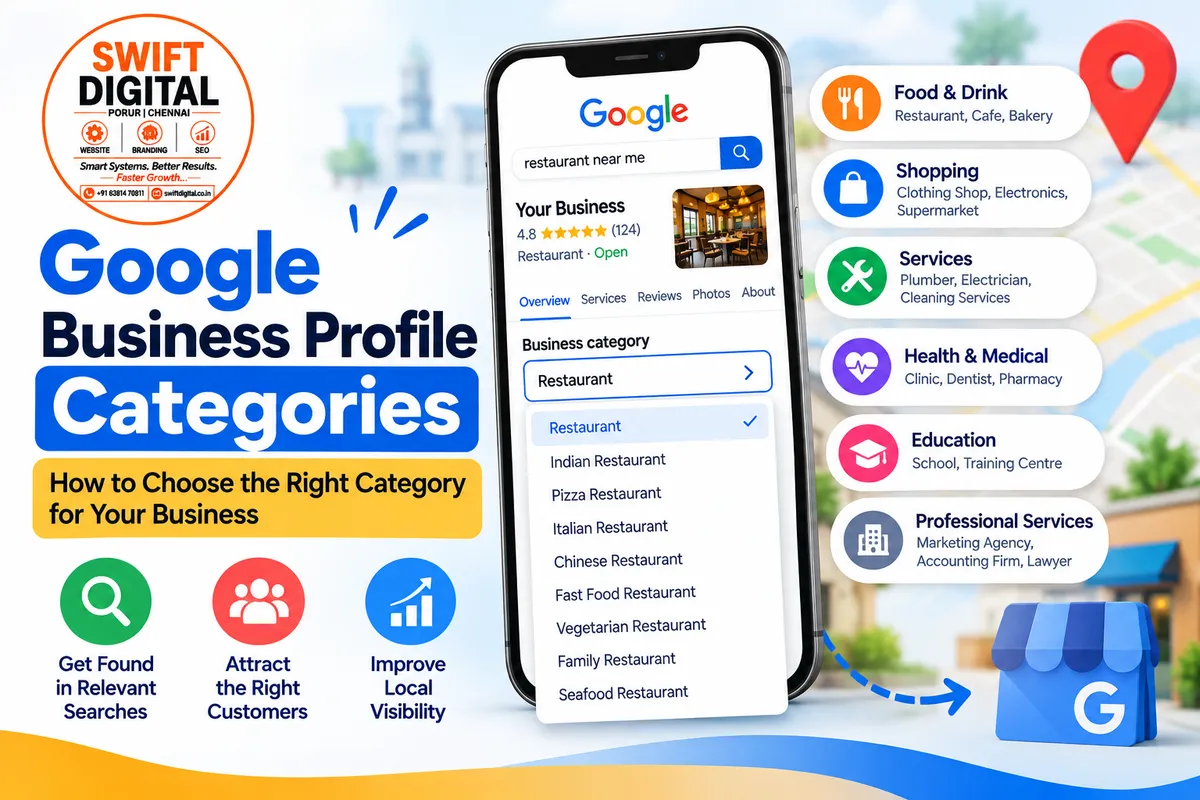
Google Business Profile Categories: How to Choose the Right Category
Choosing the right Google Business Profile (GBP) category is one of the most important steps when setting up or optimizing your profile.
Your category tells Google what your business is and helps Google connect your profile with customers searching for relevant products or services. Google itself says categories can affect local ranking.
But choosing categories is not about adding as many categories as possible. The goal is to select categories that accurately describe your business.
The category list in our reference file contains hundreds of business categories across areas such as Food & Drink, Shopping, Services, Medical & Health, Professional Services, Education, Hotels & Lodging, and more.
What Is a Google Business Profile Category?
A Google Business Profile category describes what your business is.
For example:
Restaurant
Indian Restaurant
Clothing Shop
Dentist
Plumber
Marketing Agency
Web Designer
Accountant
Photographer
Hairdresser
Auto Repair Shop
Training Centre
Google recommends choosing a category that completes the statement:
“This business IS a…”
rather than:
“This business HAS…”
For example, a restaurant that has a swimming pool should not select "Swimming Pool" as its business category simply because the facility exists.
Primary Category vs Additional Categories
Your Google Business Profile has one primary category.
You can also add additional categories when they genuinely describe your business. Google currently allows up to nine additional categories.
Primary Category
Your primary category should represent the main business you operate.
For example:
Business: Indian restaurant
Primary category: Indian Restaurant
Additional Categories
Additional categories can describe other important aspects of the business.
For example, depending on the actual business:
Indian Restaurant
Vegetarian Restaurant
Family Restaurant
Breakfast Restaurant
However, don't add every possible category just because it is available.
Google specifically recommends using the fewest categories necessary to describe your overall core business.
Why Are Google Business Profile Categories Important?
1. They Help Google Understand Your Business
Categories provide Google with information about what your business does.
For example, if your primary category is Pizza Restaurant, Google may use that information when matching your business with searches related to restaurants, pizza and Italian restaurants.
2. They Help Customers Find Relevant Businesses
When customers search for a specific type of business, categories can help Google identify businesses that match the search.
This makes category selection an important part of your local SEO foundation.
3. Categories Can Affect Local Ranking
Google states that the categories you select can affect your local ranking.
However, category selection is only one part of local search. It does not guarantee a particular Google Maps position.
How to Choose the Right Primary Category
Start by asking one simple question:
What is the main business this location operates?
For example:
Business Type | Possible Primary Category |
|---|---|
Indian restaurant | Indian Restaurant |
Clothing business | Clothing Shop |
Jewellery business | Jewellery Store |
Hair salon | Hairdresser |
Dentist | Dentist |
Plumbing company | Plumber |
Digital marketing company | Marketing Agency |
Accounting business | Accounting Firm |
Photography business | Photography Studio |
Car repair business | Auto Repair Shop |
The reference category list includes these and many other business types.
Choose the most specific category available that accurately represents the business.
Google recommends using a specific category rather than a broad one when an appropriate specific option exists.
Don't Choose Categories Just for Keywords
One common mistake is choosing categories because they contain keywords you want to rank for.
For example, imagine a business is a marketing agency that provides:
SEO
Web design
Social media marketing
Google Business Profile optimization
You shouldn't automatically add every category related to those services.
Instead, choose the category or categories that accurately represent the actual business.
Google specifically says:
Categories should not be used solely as keywords.
Your services can be explained elsewhere in your Google Business Profile and on your website.
Use Competitor Research Carefully
Competitor research can help you understand how businesses in your market position themselves.
Search Google Maps for terms related to your business and look at businesses appearing in the results.
For example, a digital marketing company could research:
“digital marketing agency near me”
“SEO company near me”
“marketing agency [city]”
Look at the categories used by relevant competitors.
The objective isn't to copy competitors blindly.
Instead, ask:
What is their primary category?
What additional categories are relevant?
Are there categories you had overlooked?
Does the category accurately describe your own business?
Is the category actually available for your profile?
Your GBP resources include tools such as GMB Plug and GMB Everywhere for category and competitor research.
Example: Choosing Categories for Different Businesses
Example 1: Restaurant
Suppose you operate an Indian restaurant.
Your category strategy might include:
Primary:
Indian Restaurant
Additional categories, where genuinely applicable:
Vegetarian Restaurant
Family Restaurant
Breakfast Restaurant
The reference file contains numerous restaurant categories, including Indian, Chinese, Italian, Japanese, Mexican, Pizza, Seafood, Thai, Vegetarian and others.
Example 2: Home Services Business
Suppose you operate a plumbing company.
Your primary category could be:
Plumber
If your business genuinely operates across related home services, investigate whether additional categories accurately describe the business.
The reference list includes categories such as:
Plumber
Electrician
Carpenter
Cleaning Services
Contractor
HVAC Contractor
Handyman
Home Builder
Interior Designer
Landscaper
Pest Control Service
Roofing Service
Don't select categories simply because you want to appear for those searches. The category must represent your actual business.
Example 3: Professional Services
The reference list includes many professional-service categories, including:
Accountant
Accounting Firm
Architect
Business Management Consultant
Consultant
Graphic Designer
IT Support and Services
Internet Marketing Service
Law Firm
Marketing Agency
Marketing Consultant
Photographer
Property Consultant
Tour Operator
Video Production Service
Web Designer
Wedding Photographer
For a business offering several of these services, start with the category that best represents the business itself, then consider only relevant additional categories.
What If Your Exact Category Isn't Available?
You cannot create your own Google Business Profile category.
If your preferred category isn't available, Google recommends selecting the next most appropriate general category.
For example, if a very specific category isn't available, select the closest accurate category rather than inventing a new one.
How to Add or Change Your GBP Categories
You can manage your categories through your Google Business Profile.
The basic process is:
Open your Google Business Profile.
Select Edit profile.
Find Business category.
Select your Primary category.
Add relevant Additional categories.
Save the changes.
Google notes that changing an existing category may sometimes trigger another verification request.
Manage your Business Profile category – Google Business Profile Help
Common Google Business Profile Category Mistakes
Avoid these mistakes when choosing categories.
❌ Adding Every Available Category
More categories don't automatically mean more visibility.
Use only categories that accurately describe your business.
❌ Using Categories as Keywords
Don't select categories simply because they contain keywords you want to rank for.
❌ Choosing a Category for Every Service
A service doesn't necessarily need to become a business category.
Google specifically advises against selecting a category for every product or service.
❌ Choosing an Unrelated Category
Never select an unrelated category just because competitors are using it.
❌ Changing Categories Constantly
Your categories should reflect the actual business. Review them when your business changes or when you discover that your current selection is inaccurate.
Google Business Profile Category Checklist
Before completing your profile, check:
☐ Is the primary category accurate?
☐ Does it describe the main business?
☐ Is there a more specific category available?
☐ Are additional categories genuinely relevant?
☐ Have you avoided unrelated categories?
☐ Have you avoided adding categories simply for keywords?
☐ Have you compared relevant competitors?
☐ Have you checked Google's available category options?
☐ Does your website describe the same business?
☐ Do your services support the categories you selected?
Final Thoughts
Choosing Google Business Profile categories is a simple step, but it can have an important role in your local SEO foundation.
The best approach is accuracy over quantity.
Choose the most specific primary category that represents your business, add only relevant additional categories, and use your Services section and website to explain the individual services you provide.
Google confirms that categories help connect businesses with relevant searches and can affect local ranking.
If you need help with Google Business Profile optimization, Local SEO or Google Maps visibility, you can explore Swift Digital for more information.
Useful Resources
Google Business Profile Category Guidelines
Google Business Profile – Manage Your Business Category
Google Business Profile Guidelines
Google Business Profile Guidelines
Google Business Profile Editing Guide
Edit Your Business Profile
Swift Digital
Swift Digital – Digital Marketing & Local SEO


