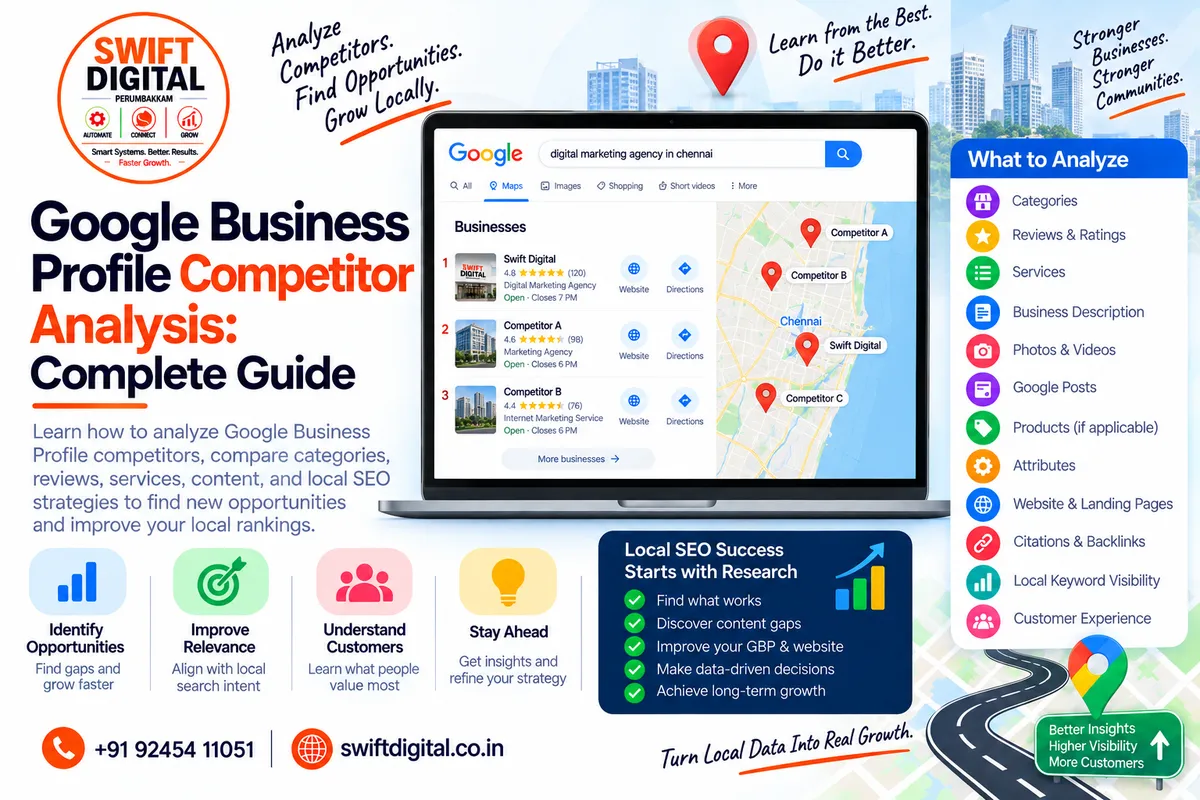
Google Business Profile Competitor Analysis: Complete Local SEO Guide
or analysis should be used for research and benchmarking, not for copying competitors or manipulating Google's search results.
Google states that local results are primarily based on relevance, distance, and prominence.
That means a competitor appearing above your business for one search does not necessarily mean its entire profile is better optimized.
Location, search query, business relevance, prominence, and other factors can all affect what a customer sees.
What Is Google Business Profile Competitor Analysis?
Google Business Profile competitor analysis is the process of examining other relevant businesses appearing in Google Search and Google Maps for the searches your customers use.
You can compare publicly visible information such as:
Primary category
Additional categories
Business name
Services
Business description
Reviews
Review themes
Photos
Website
Local landing pages
Attributes
Posts
Products where applicable
Citations and mentions
Website content
Local backlinks
Search visibility
Customer experience signals
The purpose is to identify patterns, gaps, and opportunities.
Why Competitor Analysis Matters for Local SEO
Your competitors can reveal information about the local search market.
For example, suppose you operate a:
Digital Marketing Agency in Chennai
You might discover that businesses appearing for relevant searches commonly provide:
Local SEO
Google Business Profile optimization
Website development
Social media marketing
Marketing automation
That information can help you understand the services customers may be looking for.
But you should not automatically add every service simply because a competitor lists it.
Your GBP must accurately represent the business.
Google's guidelines require businesses to represent themselves accurately and use appropriate business information.
Competitor Analysis Is Not About Copying
This is one of the most important principles.
Don't copy:
Competitor business descriptions
Photos
Reviews
Website content
Service descriptions
Brand messaging
Fake locations
Keyword-stuffed business names
Customer testimonials
Instead, study the market and ask:
What useful information are customers getting from these businesses, and what can my business improve legitimately?
Step 1: Identify Your Real Local Competitors
Start with the searches your customers actually perform.
For example:
digital marketing agency near me
digital marketing agency in Chennai
local SEO agency Chennai
Google Business Profile optimization Chennai
SEO company in Perumbakkam
Record the businesses that appear repeatedly.
Don't rely on only one search.
Google local results depend partly on the searcher's location, and distance is one of the factors Google uses in local ranking.
Therefore, a search performed from one neighborhood may produce different local results from a search performed elsewhere.
Step 2: Create a Competitor Spreadsheet
Create a simple spreadsheet with columns such as:
Competitor | Category | Reviews | Rating | Services | Website | Location | Photos | Posts | Notes |
|---|---|---|---|---|---|---|---|---|---|
Competitor A | Category | Count | Rating | Yes/No | URL | Area | Active | Active | Notes |
Competitor B | Category | Count | Rating | Yes/No | URL | Area | Active | Active | Notes |
Competitor C | Category | Count | Rating | Yes/No | URL | Area | Active | Active | Notes |
This gives you a structured baseline.
Avoid treating the highest review count or rating as proof that a competitor is doing everything correctly.
Reviews are one component of Google's local-ranking system, while relevance and distance also matter.
Step 3: Analyze Primary Categories
The primary category is one of the first things to examine.
Google says businesses should choose the category that best represents what the business is, rather than simply selecting categories for individual services, products, or amenities.
Record:
Primary category
Additional categories
Whether categories appear relevant
Whether competitors use similar category structures
Example
Imagine you find:
Competitor A: Digital Marketing Agency
Competitor B: Internet Marketing Service
Competitor C: Marketing Agency
Don't automatically switch your category to whichever appears most often.
Instead, determine which category most accurately represents your actual business.
Step 4: Analyze Additional Categories
Google allows businesses to add additional categories where appropriate. Google advises choosing categories that accurately describe the business and not using categories simply as keywords.
Look for patterns.
For example:
Category Area | Competitor A | Competitor B | Competitor C |
|---|---|---|---|
Primary category | ✓ | ✓ | ✓ |
SEO-related category | ✓ | — | ✓ |
Advertising-related category | — | ✓ | ✓ |
Web-related category | ✓ | ✓ | — |
This doesn't mean you should copy the pattern.
Instead, investigate whether those categories genuinely describe your business.
Step 5: Compare Business Names
Look at how competitors present their names.
Your objective is not to add keywords to your own business name.
Google requires the Business Profile name to reflect the business's real-world name. Unnecessary information in the business name isn't permitted and can create policy problems.
For example, don't change:
Swift Digital
into:
Swift Digital – Best Digital Marketing Agency & SEO Company in Chennai
unless that is genuinely the real-world business name used consistently.
Competitor analysis should help you identify violations or patterns, not encourage you to reproduce them.
Step 6: Compare Services
Review the services competitors publicly list.
Create a table:
Service | Your Business | Competitor A | Competitor B | Competitor C |
|---|---|---|---|---|
Local SEO | ✓ | ✓ | ✓ | ✓ |
GBP Optimization | ✓ | ✓ | — | ✓ |
Website Development | ✓ | — | ✓ | ✓ |
Marketing Automation | ✓ | — | ✓ | — |
Then ask:
Do we genuinely provide this service?
Is the service relevant to our customers?
Is it already represented on our website?
Is there a useful service page we should create?
Can we explain the service more clearly?
Google provides a dedicated Services Editor for businesses to communicate their services where the feature is available.
Step 7: Analyze Business Descriptions
Review how competitors describe:
What they do
Who they serve
Their services
Their experience
Their location
Their specialization
Then improve your own description.
Google recommends using the description to provide useful information about services, products, mission, and business history. It also says descriptions should be relevant and honest and should not contain links.
Don't copy competitor wording.
Step 8: Analyze Reviews
Reviews can reveal what customers actually care about.
Don't just record:
4.8 stars
Look for recurring themes.
For example, customers might repeatedly mention:
Fast service
Communication
Pricing
Staff friendliness
Product quality
Technical knowledge
Delivery speed
Problem resolution
Professionalism
Create a review-theme spreadsheet.
Customer Theme | Competitor A | Competitor B | Your Business |
|---|---|---|---|
Fast service | High | Medium | — |
Communication | High | High | Medium |
Technical expertise | Medium | High | High |
Pricing | Medium | Low | — |
The purpose is to understand customer expectations.
Do not manufacture reviews to compete with competitors.
Google requires reviews to reflect genuine customer experiences and prohibits incentives in exchange for reviews.
Step 9: Compare Review Volume
Record:
Total review count
Average rating
Recent review activity
Review themes
Business responses
Responses to negative reviews
Remember that review counts change over time.
Google says review scores are calculated from the ratings published for a business, and updated scores can take time to appear.
Use review data as a benchmark, not as a target for artificial review generation.
Step 10: Analyze Review Responses
Look at how businesses respond.
Good responses generally:
Acknowledge the customer
Address the issue
Remain professional
Avoid arguments
Provide an appropriate next step
Protect customer privacy
Google recommends responding to reviews because replies show customers that their feedback matters.
Use competitor responses to identify communication patterns, but write original responses based on the actual customer interaction.
Step 11: Analyze Photos
Photos can tell you a lot about how a business presents itself.
Check:
Logo
Cover photo
Exterior
Interior
Team
Products
Services
Equipment
Before-and-after work where appropriate
Customer environment
Recent uploads
Ask:
Does our profile accurately show what customers can expect?
Google recommends adding photos and videos to help customers understand the business and what it offers.
Step 12: Analyze Google Business Profile Posts
Where Posts are available and actively used, examine:
Posting frequency
Offers
Updates
Events
Service announcements
Educational content
Images
Calls to action
Don't assume that simply posting more frequently guarantees better rankings.
Instead, evaluate whether the content is useful to customers and supports the business's broader communication strategy.
Step 13: Analyze Products
For eligible businesses, examine whether competitors showcase products.
Look at:
Product categories
Product names
Images
Descriptions
Pricing where displayed
Product organization
Only use Products where they genuinely apply to your business.
A service business shouldn't turn its services into fake products simply because competitors have product listings.
Step 14: Analyze Attributes
Compare relevant attributes such as:
Accessibility
Payment options
Amenities
Service options
Business identity
Other applicable factual attributes
Don't select an attribute simply because a competitor has it.
Only provide accurate information.
Step 15: Analyze Competitor Websites
Your competitor analysis shouldn't stop at Google Maps.
Visit their websites and examine:
Homepage
Main service
Location
Value proposition
Calls to action
Service Pages
Services offered
Depth of information
FAQs
Case studies
Conversion elements
Location Pages
Cities served
Local information
Addresses
Service areas
Blog
Topics
Local content
Educational content
Publishing frequency
Step 16: Find Keyword Gaps
Create a keyword-gap spreadsheet.
For example:
Search Topic | Your Site | Competitor A | Competitor B |
|---|---|---|---|
Google Business Profile | ✓ | ✓ | ✓ |
Google Maps SEO | ✓ | — | ✓ |
Local SEO Chennai | — | ✓ | ✓ |
GBP reviews | ✓ | ✓ | — |
Local landing pages | — | ✓ | — |
The goal isn't to publish pages for every keyword.
Ask whether each topic represents a real customer need.
Step 17: Analyze Local Landing Pages
Check whether competitors have pages for:
Cities
Neighborhoods
Services + locations
Service areas
Individual locations
Then evaluate whether those pages provide genuinely useful local information.
Avoid creating hundreds of near-identical city pages.
A competitor having many pages does not automatically mean you should reproduce the same structure.
Step 18: Analyze Local Citations
Look for legitimate business mentions across:
Local directories
Industry directories
Chamber organizations
Professional associations
Relevant local publications
Business directories
Record:
Business name
URL
Address
Phone
Website
Category
Listing status
Don't build spammy listings just because a competitor has a large number of citations.
Focus on relevant, legitimate business references.
Step 19: Analyze Local Backlinks
Look for websites that legitimately mention competitors.
Potential sources include:
Local newspapers
Industry publications
Associations
Chambers of commerce
Local organizations
Community websites
Business partners
Sponsorship pages
Professional directories
The objective is to identify relationship and authority opportunities.
Don't buy links or participate in link schemes.
Step 20: Analyze Competitor Content
Create a content-gap matrix.
Topic | Competitor A | Competitor B | Your Site |
|---|---|---|---|
GBP Setup | ✓ | ✓ | ✓ |
GBP Categories | ✓ | — | ✓ |
GBP Reviews | ✓ | ✓ | ✓ |
GBP Services | — | ✓ | ✓ |
Local Landing Pages | ✓ | ✓ | ✓ |
Competitor Analysis | ✓ | — | This Post |
This makes your content strategy easier to manage.
Step 21: Compare Customer Experience
Competitor analysis should go beyond SEO.
Look at:
How easy it is to contact them
Website navigation
Mobile usability
Appointment process
Response options
Contact forms
Business hours
Directions
Service information
FAQs
A local SEO strategy should ultimately help customers.
Google describes a Business Profile as a way for businesses to maintain accurate information, interact with customers, and help potential customers find them.
Step 22: Build a Competitor Gap Analysis
After collecting the information, categorize findings into four groups.
Strengths
Things your business already does well.
Weaknesses
Areas where important information is missing or outdated.
Opportunities
Useful improvements you can make legitimately.
Risks
Things competitors are doing that you should not copy because they may conflict with Google's policies or your own business reality.
Example Competitor Gap Analysis
Area | Observation | Recommended Action |
|---|---|---|
Category | Competitors use relevant categories | Verify your categories accurately |
Services | Several competitors explain services clearly | Improve service descriptions |
Reviews | Customers mention communication frequently | Improve customer communication |
Photos | Competitors show real work | Add more authentic business photos |
Website | Competitors have location pages | Create useful location pages where justified |
Content | Competitors answer local questions | Publish helpful local content |
Citations | Several legitimate local directories appear | Evaluate relevant directories |
Links | Competitors have local mentions | Build genuine local relationships |
This approach turns research into an actionable plan.
Competitor Analysis and the Three Local Ranking Factors
Google says local results are primarily based on:
1. Relevance
How well the Business Profile matches what the customer is searching for.
Competitor research can help you understand the services, categories, and information relevant to local search intent.
2. Distance
How far the business is from the searcher or the location being searched.
You cannot legitimately optimize your way around physical distance.
3. Prominence
How well-known a business is.
Google says prominence can involve factors such as links and reviews.
Competitor analysis can help you understand the broader local market, but it cannot guarantee a particular ranking position.
What You Should Never Do
Competitor research can become dangerous when businesses try to imitate questionable tactics.
Avoid:
Keyword-stuffing your business name
Fake locations
Fake reviews
Buying reviews
Incentivizing reviews
Review gating
Fake customer testimonials
Copying competitor descriptions
Copying competitor photographs
Spam citations
Link schemes
False business information
Misleading claims
Creating duplicate profiles
Google's Business Profile guidelines require businesses to represent themselves accurately, and violations can result in changes or removal of business information.
Competitor Analysis for Service-Area Businesses
Service-area businesses should pay particular attention to:
Actual service areas
Customer locations
Service pages
Local landing pages
Reviews mentioning locations
Website geographic coverage
Local business mentions
Don't create fake storefronts in every city.
Google allows eligible service-area businesses to define their service areas, but the business information must accurately represent where it operates.
Competitor Analysis for Multi-Location Businesses
For businesses with multiple legitimate locations, analyze each market separately.
For example:
Business
│
├── Chennai
│ ├── Competitor set
│ ├── Categories
│ ├── Reviews
│ └── Local keywords
│
├── Bengaluru
│ ├── Competitor set
│ ├── Categories
│ ├── Reviews
│ └── Local keywords
│
└── Hyderabad ├── Competitor set ├── Categories ├── Reviews └── Local keywords
The competitive environment can differ significantly between locations.
How Often Should You Perform Competitor Analysis?
A practical schedule is:
Monthly
Monitor:
Reviews
New competitors
New services
Profile changes
Website changes
Quarterly
Perform a deeper analysis of:
Categories
Services
Content
Landing pages
Citations
Backlinks
Local search visibility
After Major Changes
Run another analysis after:
Moving location
Changing services
Launching a new website
Adding a new location
Changing your primary business focus
Significant competitor changes
Google can also update Business Profile information from multiple sources, including user reports and licensed content, so businesses should regularly review their information for accuracy.
30-Day Google Business Profile Competitor Analysis Plan
Week 1 — Research
Day 1
Define your main local search queries.
Day 2
Identify recurring competitors.
Day 3
Record categories.
Day 4
Record reviews and ratings.
Day 5
Analyze services.
Day 6
Analyze photos and posts.
Day 7
Complete your competitor spreadsheet.
Week 2 — Website Research
Day 8
Review competitor homepages.
Day 9
Review service pages.
Day 10
Review location pages.
Day 11
Analyze FAQs.
Day 12
Analyze blog content.
Day 13
Identify keyword gaps.
Day 14
Identify content opportunities.
Week 3 — Local SEO Research
Day 15
Review local citations.
Day 16
Identify legitimate local directories.
Day 17
Research local mentions.
Day 18
Research potential backlink opportunities.
Day 19
Review competitor review themes.
Day 20
Review customer experience.
Day 21
Build your gap analysis.
Week 4 — Implementation
Day 22
Fix inaccurate GBP information.
Day 23
Review categories.
Day 24
Improve services.
Day 25
Improve website location content.
Day 26
Create useful missing content.
Day 27
Improve review-response processes.
Day 28
Improve photos and visual information.
Day 29
Review local citation opportunities.
Day 30
Create the next 90-day local SEO roadmap.
Google Business Profile Competitor Analysis Checklist
Identify relevant local searches
Record recurring competitors
Record primary categories
Review additional categories
Compare business information
Analyze services
Analyze descriptions
Compare review counts
Analyze review themes
Review owner responses
Analyze photos
Analyze videos
Review Posts
Review Products where applicable
Review attributes
Analyze competitor websites
Identify keyword gaps
Analyze local landing pages
Review citations
Research legitimate backlinks
Analyze local content
Review customer experience
Identify strengths
Identify weaknesses
Identify opportunities
Identify risks
Create an implementation plan
Frequently Asked Questions
What is Google Business Profile competitor analysis?
It is the process of researching other relevant businesses appearing in Google Search and Maps to understand their categories, services, reviews, website content, local presence, and customer-facing information.
Can competitor analysis improve Google Maps rankings?
Competitor analysis itself does not directly improve rankings. It can help you identify legitimate improvements to your own Business Profile, website, content, and customer experience.
Google says local ranking is primarily based on relevance, distance, and prominence.
Should I copy my competitor's categories?
No. Select categories that accurately represent your own business. Google specifically advises against using categories simply as keywords.
Should I try to get more reviews than my competitors?
Focus on consistently earning genuine customer feedback rather than treating a competitor's review count as a number you must surpass.
Google requires reviews to represent genuine experiences and prohibits incentivized reviews.
Can I report a competitor?
If you identify information that appears inaccurate or violates Google's policies, use Google's available reporting or edit mechanisms rather than attempting to manipulate the competitor's profile yourself. Google provides mechanisms for suggesting edits to Business Profiles you don't manage.
How many competitors should I analyze?
For a small local business, start with approximately 5–10 recurring competitors appearing for your most important searches. Expand the sample when the market is larger or serves multiple locations.
This is a research recommendation, not a Google requirement.
Final Thoughts
Google Business Profile competitor analysis isn't about finding a shortcut to outrank another business.
It's about understanding the local market.
Study:
Categories → Services → Reviews → Photos → Website → Content → Local Presence → Customer Experience
Then ask:
What can we improve that is accurate, useful, and genuinely valuable to our customers?
That approach keeps competitor research aligned with Google's guidance to provide complete, accurate business information and avoid misleading practices.
And because Google's local results are primarily based on relevance, distance, and prominence, competitor analysis should be treated as a diagnostic and planning tool—not as a formula for a guaranteed ranking position.


