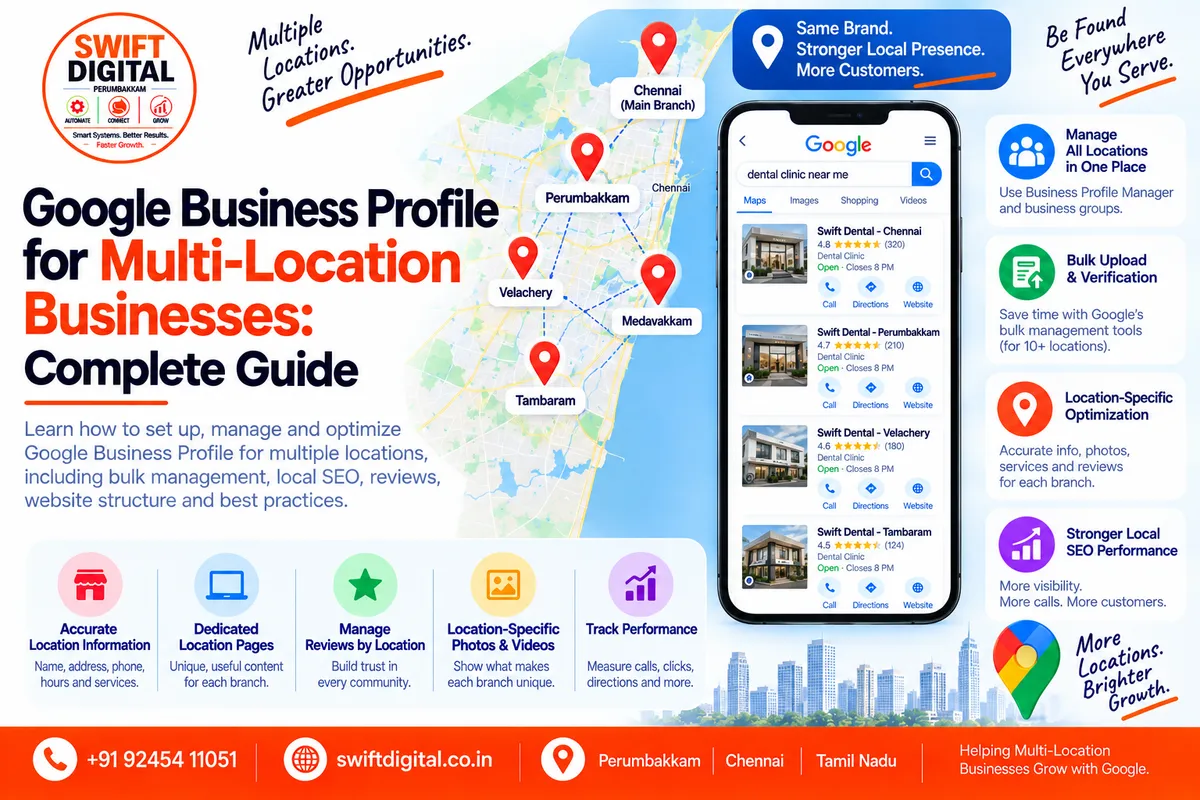
Google Business Profile for Multi-Location Businesses
Managing one Google Business Profile is relatively straightforward.
Managing multiple locations requires a different approach.
A business with several stores, offices, clinics, branches, or service locations needs to keep each location accurate while maintaining consistent branding and information across Google Search and Google Maps.
Google provides Business Profile Manager, business groups, bulk uploads, and bulk verification options to help eligible businesses manage multiple locations more efficiently.
This guide explains how to structure, optimize, and manage Google Business Profiles for multi-location businesses while following Google's guidelines.
What Is a Multi-Location Google Business Profile?
A multi-location business is a company that operates from more than one eligible physical location.
Examples include:
Retail chains
Restaurants with multiple branches
Dental clinics
Medical clinics
Gyms
Salons
Educational institutions
Automotive businesses
Real estate offices
Banks
Franchise businesses
Professional service companies
Businesses with multiple staffed offices
Each eligible location can generally have its own Business Profile.
Google's guidelines state that businesses should not create more than one page for the same location. However, separate real-world locations can have separate profiles when they meet Google's eligibility requirements.
Why Multi-Location GBP Management Matters
Each location can have different:
Customers
Reviews
Opening hours
Phone numbers
Addresses
Services
Photos
Local competitors
Search visibility
Website landing page
Local search demand
A single generic profile cannot accurately represent multiple physical locations.
For example:
ABC Dental Clinic
Chennai Central
Perambur
Tambaram
Velachery
Each location may serve a different local audience.
The goal is therefore not simply to create more profiles.
The goal is to create accurate, location-specific profiles that provide useful information to customers.
One Business Profile or Multiple Profiles?
This is one of the most important questions.
Use separate profiles when:
You have genuinely separate eligible locations.
For example:
ABC Dental — Chennai
ABC Dental — Tambaram
ABC Dental — Velachery
Each location should represent a real business location.
Google's guidelines require businesses to represent their real-world operations accurately and prohibit creating multiple pages for the same location.
Do not create multiple profiles simply to target different cities.
For example, creating fake offices in:
Chennai
Tambaram
Adyar
Velachery
Anna Nagar
when the business has only one real location can violate Google's guidelines.
A location should exist in the real world and meet Google's eligibility requirements.
How Many Google Business Profiles Can a Business Have?
There isn't a simple rule saying every company can create an unlimited number of profiles.
The important factor is whether each location is a legitimate, eligible business location.
Google specifically provides bulk-management functionality for businesses with 10 or more locations.
For smaller businesses, locations can also be managed individually through Business Profile Manager.
Step 1: Create a Business Group
For businesses managing multiple locations, a Business Group can make management easier.
Google describes business groups as a way to organize and share access to multiple Business Profiles.
A business group can help organize:
Multiple branches
Franchise locations
Regional locations
Store locations
Different teams
Marketing agencies
Location managers
Basic process
Sign in to Business Profile Manager.
Open the business management area.
Create a business group.
Give the group an appropriate name.
Add eligible locations.
Assign appropriate users and permissions.
Business groups can also make collaboration safer because businesses don't need to share one Google account password with everyone.
Step 2: Keep Business Names Consistent
Brand consistency is particularly important for multi-location businesses.
Suppose the brand is:
Swift Dental
Avoid creating location names such as:
Best Dentist Chennai
Swift Dental Best Dentist Tambaram
Cheap Dentist Velachery
Swift Dental Near Me
Location names should reflect the business's real-world representation.
Google's guidelines include specific rules for chains and brands regarding naming consistency.
Important principle
Do not add keywords to a business name simply to improve rankings.
Use the real-world business name.
Step 3: Use Accurate Location Information
Every location should have its own accurate information.
Create a master spreadsheet containing:
Field | Location 1 | Location 2 | Location 3 |
|---|---|---|---|
Business Name | ABC Dental | ABC Dental | ABC Dental |
Address | Actual address | Actual address | Actual address |
Phone | Location phone | Location phone | Location phone |
Website URL | Location page | Location page | Location page |
Primary Category | Dentist | Dentist | Dentist |
Hours | Accurate | Accurate | Accurate |
Services | Location-specific | Location-specific | Location-specific |
Google recommends using accurate physical addresses and appropriate phone/website information representing the individual business location.
Step 4: Give Each Location the Right Phone Number
Whenever practical, use a phone number that connects to the individual location.
For example:
Chennai Branch:
+91 XXX XXX XXXX
Tambaram Branch:
+91 XXX XXX XXXX
Velachery Branch:
+91 XXX XXX XXXX
Google's guidelines state that businesses should provide a phone number that connects to the individual business location or a website representing that individual location.
The objective is to make it easy for customers to contact the correct branch.
Step 5: Create a Dedicated Website Page for Each Location
One of the strongest website structures for multi-location local SEO is:
yourdomain.com/
yourdomain.com/locations/
yourdomain.com/locations/chennai/
yourdomain.com/locations/tambaram/
yourdomain.com/locations/velachery/
Each location page should contain genuinely useful information.
Include:
Location name
Address
Phone number
Opening hours
Services
Location-specific information
Directions
Local photos
Parking information where relevant
Nearby landmarks where useful
Customer FAQs
Location-specific testimonials where appropriate
Appointment/contact options
Avoid creating dozens of nearly identical pages with only the city name changed.
The page should provide real value for customers visiting that location.
Step 6: Link Each GBP to the Correct Location Page
This is an important multi-location optimization step.
For example:
Chennai GBP → Chennai location page
Tambaram GBP → Tambaram location page
Velachery GBP → Velachery location page
Don't send every profile to the homepage if a dedicated location page provides a better user experience.
Google's local-business structured-data guidance also recommends defining each local business location appropriately on your website.
Step 7: Use Location-Specific Categories Carefully
Your primary category should accurately represent the core business.
If multiple locations provide the same service, their primary category will often be the same.
For example:
Dentist
Hotel
Restaurant
Auto Repair Shop
Digital Marketing Agency
Additional categories should also reflect services actually provided at that location.
Don't create different categories simply to target different keywords.
Step 8: Keep Services Accurate
Services can vary between locations.
For example:
Location A
Dental implants
Teeth cleaning
Root canal treatment
Location B
Teeth cleaning
Orthodontics
Pediatric dentistry
If the service is genuinely different by location, reflect that accurately.
The goal is relevance, not keyword volume.
Step 9: Maintain Location-Specific Photos
Photos are particularly useful for helping customers recognize the correct location.
For each location, consider adding:
Exterior photos
Entrance
Reception
Interior
Staff
Products
Services
Equipment
Location-specific facilities
Google states that businesses with 10 or more locations can bulk upload photos using a spreadsheet.
Avoid using the exact same generic photo set for every branch when unique location imagery is available.
Step 10: Manage Reviews by Location
Each location's customers should be able to review the correct Business Profile.
For example:
"Thank you for visiting our Tambaram location."
A review response should make sense for that particular location.
Avoid:
Copying the exact same response to hundreds of reviews.
Better:
Customize responses based on:
Customer feedback
Service mentioned
Location
Customer experience
Reviews are also part of the broader prominence/customer trust signals associated with local search.
Step 11: Create a Review Management System
For multi-location businesses, review management should be systematic.
Create a monthly dashboard containing:
Location | Reviews | Rating | New Reviews | Responses |
|---|---|---|---|---|
Chennai | 250 | 4.6 | 18 | 100% |
Tambaram | 180 | 4.5 | 14 | 100% |
Velachery | 120 | 4.7 | 11 | 100% |
Don't manipulate reviews or offer incentives for positive reviews.
Instead, create a consistent process for asking genuine customers for honest feedback.
Step 12: Keep Opening Hours Accurate
Different locations may have different:
Opening hours
Closing hours
Weekend schedules
Holiday hours
Special hours
Incorrect hours can create a poor customer experience.
Create a central holiday-hours checklist so every location is reviewed before major holidays.
Step 13: Use Bulk Management for 10+ Locations
If your organization has 10 or more locations, Google provides bulk-management capabilities.
Google says eligible businesses can add, verify, and manage locations in bulk.
You can use Business Profile Manager and bulk upload spreadsheets to manage location information.
Google provides templates for bulk uploads, including required business information and attribute references.
This can significantly reduce repetitive manual work.
Step 14: Build a Master Location Spreadsheet
A master spreadsheet is one of the most useful tools for multi-location SEO.
Recommended columns:
Location ID
Business Name
Address
City
State
Postal Code
Phone
Website URL
GBP URL
Primary Category
Secondary Categories
Services
Opening Hours
Holiday Hours
Service Area
Review Count
Review Rating
Last Photo Update
Last GBP Update
Location Page
UTM URL
Manager
Status
Notes
This becomes your central source of truth.
Step 15: Use Consistent NAP Information
NAP means:
Name + Address + Phone
Check these details across:
GBP
Website
Location pages
Local directories
Business directories
Social profiles
Industry websites
The goal isn't necessarily to make every platform look mechanically identical.
The goal is to prevent contradictory or outdated business information.
Google itself can receive business information from multiple sources and may update profiles when information appears incorrect or outdated.
Step 16: Add LocalBusiness Structured Data
For multi-location websites, structured data can help search engines understand individual business locations.
Google's documentation recommends defining each local business location as a LocalBusiness type and using the most specific subtype possible.
For example:
Website ↓
Locations ├── Chennai ├── Tambaram ├── Velachery └── Perambur
Each page should accurately represent its corresponding location.
Structured data should describe the content actually present on the page.
Step 17: Optimize Each Location for Local Search
Multi-location SEO should combine:
Brand consistency
The overall brand remains consistent.
Location relevance
Each location page and GBP accurately describes that location.
Local prominence
Build legitimate local authority through:
Reviews
Local PR
Community involvement
Relevant local links
Industry associations
Useful local content
Strong customer experience
Google states that local results are primarily based on relevance, distance, and prominence.
Step 18: Don't Create Fake Locations
This is one of the biggest risks in multi-location SEO.
Do not create profiles for:
Virtual offices that aren't eligible
Mailboxes
Fake branches
Coworking locations that don't meet Google's requirements
Locations created only to rank in another city
Google specifically states that virtual offices are not eligible when the business does not operate from that location, and its guidelines require accurate representation of the business.
Step 19: Avoid Duplicate Profiles
A common mistake is accidentally creating:
ABC Company — Chennai
and
ABC Company Chennai Branch
for the same physical location.
Google's guidelines say not to create more than one page for each location.
Before creating a new profile, search Google Maps and Business Profile Manager for existing listings.
Step 20: Manage Access Properly
Don't share one Google password with an entire marketing team.
Google allows businesses to invite users as owners or managers, giving people appropriate access to Business Profiles.
For agencies and teams, use structured permissions and business groups.
This improves:
Security
Accountability
Access control
Team management
Multi-Location GBP Optimization Checklist
Use this checklist for every location.
Business Information
Real business name
Correct address
Correct phone
Correct website
Correct opening hours
Holiday hours updated
Categories
Correct primary category
Relevant additional categories
Categories consistent where appropriate
Services
Services accurately listed
Location-specific services checked
No keyword stuffing
Photos
Exterior
Interior
Staff
Products/services
Location-specific images
Reviews
Review process active
Genuine review requests
Reviews monitored
Responses provided
Policy violations reported when appropriate
Website
Dedicated location page
Correct NAP
Local content
Location-specific CTA
Internal links
Appropriate structured data
Management
Business group organized
Correct owners/managers
Master spreadsheet maintained
Duplicate profiles checked
Google updates monitored
Common Multi-Location GBP Mistakes
Mistake 1: Keyword-Stuffing Location Names
Don't turn the business name into a keyword list.
Use the real-world name.
Mistake 2: Fake City Locations
Don't create profiles in cities where the business doesn't actually operate.
Mistake 3: One Website Page for Every Location
A generic page may not provide enough local information.
Create useful location-specific pages when appropriate.
Mistake 4: Identical Content on Every Location Page
Changing only the city name isn't a strong local-content strategy.
Add genuinely useful location information.
Mistake 5: Same Phone Number Everywhere Without a Reason
Where practical, use the appropriate phone number for each location.
Mistake 6: Ignoring Reviews at Smaller Locations
A smaller branch still needs an active reputation-management process.
Mistake 7: Uploading Generic Photos Only
Location-specific imagery can make profiles more useful to customers.
Mistake 8: Giving Everyone Owner Access
Use appropriate owner and manager permissions.
Mistake 9: Not Monitoring Google Updates
Google may update profile information from other sources.
Regularly review important profile information.
30-Day Multi-Location GBP Action Plan
Week 1 — Audit
Audit every location for:
Name
Address
Phone
Website
Categories
Hours
Services
Photos
Reviews
Duplicates
Verification status
Create a master spreadsheet.
Week 2 — Profile Optimization
Correct:
Business information
Categories
Services
Attributes
Hours
Website URLs
Photos
Standardize processes without making inaccurate information identical across locations.
Week 3 — Website & Reputation
Improve:
Location landing pages
Internal linking
LocalBusiness structured data
Review acquisition process
Review responses
Location-specific content
Week 4 — Measurement
Track each location separately.
Monitor:
Search visibility
Profile interactions
Calls
Website clicks
Directions
Reviews
Website organic traffic
Local conversions
Compare locations based on their own baseline and business context rather than assuming every branch should produce identical numbers.
Multi-Location GBP KPI Dashboard
A useful monthly report can look like this:
KPI | Location A | Location B | Location C |
|---|---|---|---|
Profile interactions | — | — | — |
Calls | — | — | — |
Website clicks | — | — | — |
Directions | — | — | — |
Reviews | — | — | — |
Average rating | — | — | — |
New photos | — | — | — |
Website organic sessions | — | — | — |
Local leads | — | — | — |
Google Business Profile performance reporting can provide metrics such as searches, views, calls, website clicks, and directions, depending on the profile and available reporting.
The important part is to track trends over time and connect profile activity with actual business outcomes.
How Multi-Location SEO Supports the Three Local Ranking Factors
1. Relevance
Improve relevance through:
Correct categories
Accurate services
Complete business information
Location-specific website content
Appropriate local landing pages
2. Distance
Distance is primarily determined by the relationship between the searcher and the business location.
You cannot legitimately manipulate distance by creating fake offices.
3. Prominence
Prominence can be supported by:
Genuine reviews
Strong website authority
Local mentions
Relevant links
Positive customer experiences
Established business presence
Google emphasizes relevance, distance, and prominence in its explanation of local ranking.
Frequently Asked Questions
Can one business have multiple Google Business Profiles?
Yes, when the business has multiple eligible locations. Each profile should represent a legitimate location rather than a duplicate or fake location.
Can I manage multiple locations from one account?
Yes. Business Profile Manager and business groups are designed to help businesses manage multiple profiles.
Can I bulk manage 10 or more locations?
Google provides bulk-management functionality for eligible businesses with 10 or more locations.
Should every location have its own website page?
A dedicated location page is generally useful when it provides genuinely useful information about that location. Avoid creating thin or substantially duplicated pages.
Should every location use the same business name?
For chains and brands, Google has naming guidelines designed to maintain consistency, subject to specific exceptions. Use the business's real-world representation.
Can I create profiles in nearby cities to get more visibility?
Not simply for SEO purposes. Profiles should represent eligible, real-world business locations.
Can I use the same photos for every location?
You can use appropriate brand assets, but location-specific photos are useful for helping customers recognize and understand each individual location. Google also supports bulk photo uploads for businesses with 10 or more locations.
Final Thoughts
A successful multi-location Google Business Profile strategy is about accurate location management at scale.
The strongest approach is to combine:
Accurate profilesConsistent brand information
Location-specific information
Dedicated location pages
Genuine customer reviews
Local content
Relevant local authority
Structured management
Ongoing performance tracking
Don't try to manufacture locations or manipulate Google's systems.
Instead, build a scalable system where every genuine location provides customers with the information they need to choose, contact, and visit the right business.
That creates a stronger foundation for sustainable local SEO.


