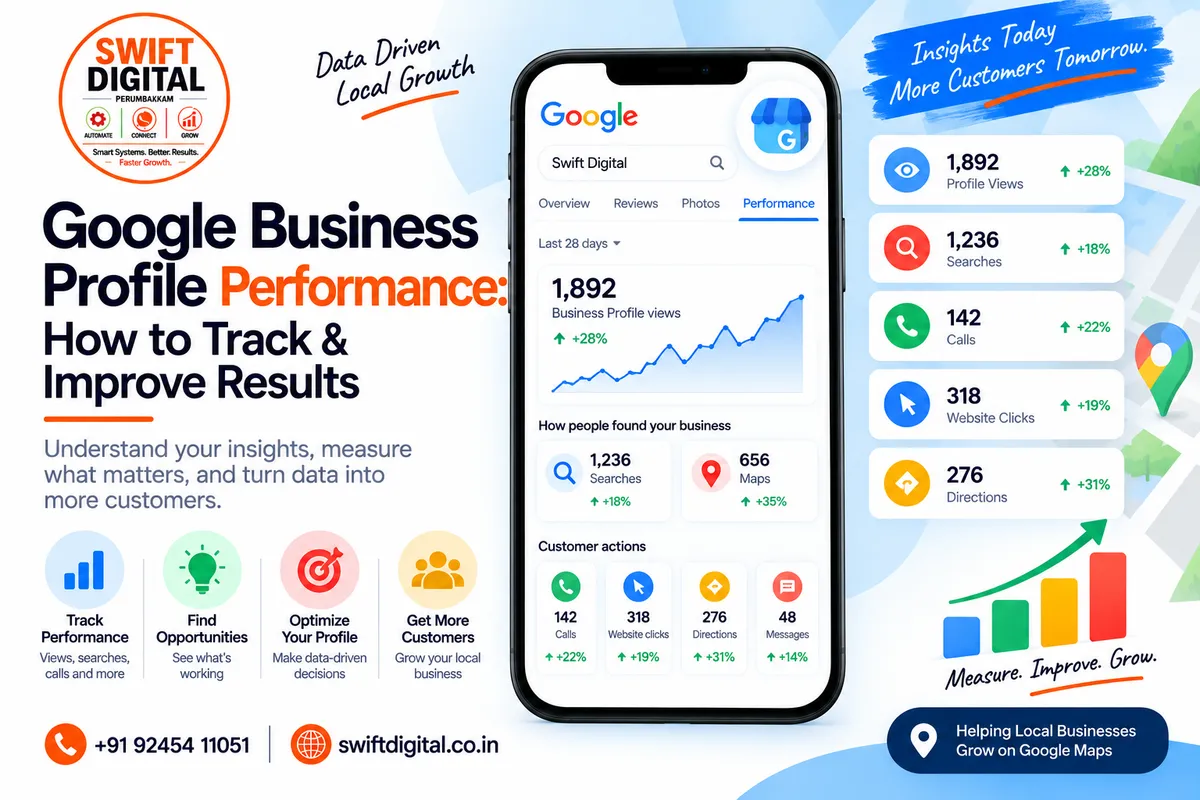
Google Business Profile Performance: How to Track & Improve Results
Optimizing your Google Business Profile is only part of a successful local SEO strategy.
You also need to understand what happens after people discover your business on Google.
Are customers finding your profile through relevant searches? Are they visiting your website? Are they requesting directions? Are they calling your business?
Google Business Profile performance data helps answer these questions.
Google says verified Business Profiles can access performance information showing how people discover the profile through Google Search and Maps and what actions they take afterward.
This guide explains the key metrics, how to access them, how to interpret changes, and how to build a practical monthly reporting system.
What Is Google Business Profile Performance?
Google Business Profile performance is the collection of data Google provides about how customers interact with your Business Profile on Google Search and Google Maps.
Depending on the business and available features, performance data can include:
Searches
Views
Calls
Website clicks
Directions
Messages
Bookings
Products
Menus
Offers
Total interactions
Not every metric is available for every business. Google states that only metrics applicable to a particular business appear in its performance report.
The purpose isn't simply to collect numbers.
The real purpose is to identify patterns and opportunities.
Why Should You Track Google Business Profile Performance?
A profile may receive visibility without generating meaningful customer actions.
For example:
Profile A
High views
Few website clicks
Few calls
Profile B
Fewer views
More calls
More website visits
Simply looking at profile views wouldn't tell the complete story.
Performance tracking lets you examine the different stages of the customer journey:
Discovery → Profile Visit → Action → Website/Contact → Customer
This makes your GBP reporting much more useful than simply checking whether your profile appears in Google Maps.
Google Business Profile Performance Metrics
Let's examine the main metrics.
1. Searches
The searches metric shows search terms people used to find your Business Profile.
Google says these queries appear when your Business Profile is shown for a particular search, and you cannot directly manage the queries themselves.
Search terms can help you understand the language customers use when looking for businesses like yours.
For example, a digital marketing agency might discover searches related to:
Digital marketing agency
SEO agency
Local SEO services
Google Business Profile services
Marketing agency near me
Use these insights as research rather than trying to force every phrase into your profile.
Important:
Google says search data is updated at the beginning of each month and may take up to five days to appear.
2. Profile Views
Views indicate how many people viewed your Business Profile on Google Search and Maps.
Google notes that the views metric represents unique visitors under its counting methodology and does not represent every overall view of your business across Google.
A change in views can provide useful context.
For example:
Views increasing + actions increasing
may indicate growing discovery and engagement.
Views increasing + actions staying flat
may suggest that more people are seeing the profile but aren't taking the actions you want.
That doesn't automatically mean the profile is performing poorly. It means the next step is to investigate the profile, offer, website, reviews, services, and customer intent.
3. Calls
The calls metric tracks clicks on the call button from your Business Profile.
Google says you need to add a phone number to track this metric.
Calls can be particularly useful for businesses where phone enquiries are an important part of the sales process.
Examples include:
Plumbers
Dentists
Lawyers
Clinics
Contractors
Automotive businesses
Home services
Professional services
Important limitation
A call click isn't necessarily the same as a completed or qualified sales call.
Therefore, don't automatically interpret every call click as a customer.
4. Website Clicks
Website clicks show how many times people clicked the website link on your Business Profile.
This metric is especially useful when your website is an important part of your conversion process.
For example:
GBP → Website → Contact Form → Lead
or:
GBP → Website → WhatsApp → Enquiry
You can compare website clicks with website analytics to better understand what happens after someone leaves Google.
5. Directions
Directions indicate how many people requested directions to your business.
Google has adjusted its methodology for this metric to account for factors such as multiple taps, cancelled direction requests and spam.
Directions are particularly useful for businesses with physical locations.
Examples:
Restaurants
Retail stores
Salons
Clinics
Gyms
Offices
Local service businesses with customer visits
For service-area businesses without customer visits at a business location, this metric may be less relevant.
6. Messages
Google's performance reporting can include message interactions where messaging functionality applies.
However, don't confuse current performance metrics with the old Business Profile chat history feature.
Google discontinued Business Profile chat and call history on July 31, 2024. Customers can still contact businesses through available channels and businesses can continue tracking relevant performance metrics.
If messaging is important to your business, consider providing appropriate alternative contact channels through your website and other supported profile options.
7. Bookings
Businesses that use eligible booking providers may see booking-related performance data.
Google defines bookings as completed bookings made through the applicable booking provider.
This can be valuable for businesses such as:
Salons
Clinics
Fitness businesses
Restaurants
Professional services
Appointment-based businesses
8. Products
For businesses that use the relevant product features, Google can report product views.
Google notes that product views in Business Profile performance refer to products sold at the Business Profile's location rather than products sold online.
This can help businesses understand whether their listed products are receiving attention from customers.
9. Offers
Where applicable, Google can show interactions with offers, including views and clicks.
If your business uses offers, track them separately from general profile activity.
For example:
Offer published → Offer views → Offer clicks → Website visit → Enquiry
This provides a more useful picture than simply counting how many offers were published.
How to Check Google Business Profile Performance
Google provides access to performance data through your Business Profile.
On Google Search
Sign in to the Google Account associated with your Business Profile.
Open your Business Profile.
Select Performance.
Choose the reporting period.
Select Apply.
Google states that performance data is available for verified Business Profiles.
On Google Maps
Google's current instructions allow owners and managers to access performance through the Google Maps app:
Open Google Maps.
Tap Business.
Next to Performance, tap See more.
Select the required time period.
Apply the date range.
How to Choose a Reporting Period
Don't judge local SEO performance based on a single day.
Instead, use consistent reporting periods.
Weekly
Useful for monitoring:
Recent changes
New posts
Sudden changes
Campaign activity
Monthly
Useful for:
Regular reporting
Comparing performance
Identifying trends
Reviewing optimization work
Quarterly
Useful for:
Strategic planning
Seasonal trends
Long-term growth
Website and GBP strategy
Google allows you to select date ranges for Business Profile performance reporting.
Compare Performance Instead of Looking at One Number
A single metric rarely tells the entire story.
Consider tracking:
Metric | What It Helps You Understand |
|---|---|
Searches | How people discover your profile |
Views | Profile visibility |
Calls | Phone engagement |
Website clicks | Website interest |
Directions | Physical-location intent |
Messages | Available messaging engagement |
Bookings | Appointment activity |
Products | Product interest |
Offers | Offer engagement |
The most useful metric depends on your business model.
A restaurant may care heavily about directions, website visits and bookings.
A service-area contractor may focus more on calls and website clicks.
An e-commerce business may have a different measurement system altogether.
Google Business Profile Performance vs Google Search Console
These tools measure different parts of your digital presence.
Google Business Profile
Primarily helps you understand interactions with your Business Profile on Google Search and Maps.
Examples:
Profile views
Search discovery
Calls
Directions
Website clicks
Other applicable profile interactions
Google Search Console
Helps you understand how your website performs in Google Search.
Its performance report includes:
Clicks
Impressions
CTR
Average position
Search queries
Pages
Countries
Devices
Together, they provide a broader view.
Example:
GBP
Search discovery → Profile view → Website click
Search Console
Website impression → Website click → Landing page
This helps connect local discovery with website search performance.
Connect Google Business Profile With Google Analytics
Google also provides a way to connect Business Profile data with Google Analytics.
Google says this can help businesses understand interactions with local listings alongside website and app data.
Depending on your setup, Business Profile data shared with Google Analytics can include:
Interactions
Website clicks
Calls
Directions
Messages
Bookings
Menu clicks
This can provide a more complete view of the journey from local discovery to website activity.
Download Your Google Business Profile Performance Data
If you manage multiple Business Profiles, Google allows performance data to be downloaded in a spreadsheet.
Google's instructions include:
Open Business Profile Manager.
Select the relevant profiles.
Choose Actions.
Select Insights.
Select the reporting period.
Choose Download Report.
This is particularly useful for agencies managing multiple locations.
Create a Monthly GBP Performance Dashboard
A simple monthly dashboard can contain:
Profile Visibility
Views
Searches
Search trends
Customer Actions
Calls
Website clicks
Directions
Messages where applicable
Bookings where applicable
Reputation
Review count
Average rating
New reviews
Review response activity
Optimization Activity
New photos
New services
Profile updates
Posts
Website changes
Citation corrections
Website
Organic clicks
Organic impressions
Local landing-page performance
Contact form submissions
Conversion activity
This creates a much more useful reporting system than simply saying:
"Your Google ranking improved."
How to Interpret Performance Changes
Performance fluctuations are normal.
Don't automatically assume that every increase or decrease was caused by one specific optimization.
Instead, investigate the context.
Example 1: Views Increased
Possible areas to investigate:
New search demand
Seasonal changes
New profile content
Business changes
Local search trends
Website/profile improvements
Example 2: Website Clicks Increased
Check:
Which landing page visitors reached
Organic search performance
Conversion rate
Contact form submissions
Phone enquiries
Example 3: Calls Increased
Check:
Business hours
Phone number accuracy
Service availability
Call handling
Website conversion journey
Example 4: Directions Increased
Check:
Physical location
Store hours
Local demand
Seasonal patterns
Location-specific promotions
The data should lead to investigation rather than unsupported conclusions.
Don't Chase Metrics Without Business Context
A higher number isn't automatically better.
For example, more profile views are useful, but the business objective might actually be:
More qualified enquiries
More bookings
More store visits
More phone calls
More sales
Therefore, connect GBP metrics with actual business outcomes whenever possible.
Think in terms of:
Visibility → Engagement → Conversion
Not just:
Visibility → More visibility
Performance Tracking for Service-Area Businesses
Service-area businesses need a slightly different reporting approach.
For example:
Plumber
Electrician
Home cleaning company
Pest control company
Mobile repair service
Directions may not be a meaningful primary KPI if customers don't visit the business location.
Instead, focus more heavily on:
Relevant searches
Profile views
Calls
Website clicks
Lead forms
Booking actions
Qualified enquiries
This helps align reporting with how the business actually generates customers.
Performance Tracking for Multi-Location Businesses
If you manage multiple locations, don't combine everything into one number.
Create location-level reporting.
For example:
Location | Views | Calls | Website Clicks | Directions |
|---|---|---|---|---|
Location A | — | — | — | — |
Location B | — | — | — | — |
Location C | — | — | — | — |
Then investigate differences between locations.
Possible factors include:
Different local demand
Location
Categories
Reviews
Website pages
Business hours
Competition
Profile completeness
Avoid assuming that one location's performance automatically represents another.
30-Day Google Business Profile Performance Tracking Plan
Week 1: Establish Your Baseline
Record:
Current views
Search terms
Calls
Website clicks
Directions
Other applicable metrics
Review count
Website Search Console data
This becomes your baseline.
Week 2: Review Search Discovery
Analyze the search terms associated with your profile.
Ask:
Are the searches relevant?
Are important services represented?
Are customers finding the right type of business?
Are there obvious content gaps?
Don't attempt to manipulate the search-query data directly. Google says these queries are not directly manageable.
Week 3: Review Customer Actions
Compare:
Views
Calls
Website clicks
Directions
Bookings
Other relevant interactions
Look for changes rather than isolated numbers.
Week 4: Connect the Data
Compare GBP performance with:
Google Analytics
Search Console
Website conversions
Lead records
Phone enquiries
Booking data
Then document what changed and what should be tested next.
Monthly GBP Reporting Template
Use this structure every month:
1. Reporting Period
Month: __________
2. Visibility
Profile Views: __________
Searches: __________
3. Customer Actions
Calls: __________
Website Clicks: __________
Directions: __________
Messages: __________
Bookings: __________
4. Reputation
New Reviews: __________
Total Reviews: __________
Average Rating: __________
5. Website
Organic Clicks: __________
Organic Impressions: __________
Local Landing Page Traffic: __________
6. Optimization Work
Categories reviewed
Services updated
Photos added
Posts published
Reviews responded to
Website updated
Citations audited
7. Next Month
Document:
What changed
What was learned
What needs attention
What will be tested next
Common GBP Performance Tracking Mistakes
Mistake 1: Looking at Only Views
Views measure visibility, not the complete customer journey.
Mistake 2: Comparing Random Date Ranges
Use consistent periods whenever possible.
For example:
January 1–31 vs February 1–28
is more useful than comparing arbitrary dates.
Mistake 3: Assuming Correlation Means Causation
If calls increase after you add photos, that doesn't prove the photos caused the increase.
Other factors may have changed simultaneously.
Mistake 4: Ignoring Seasonality
Some businesses naturally experience demand fluctuations.
Examples:
Restaurants
Travel
Education
Retail
Home services
Festivals and events
Compare appropriate periods rather than assuming every change reflects an SEO change.
Mistake 5: Ignoring Website Data
Your GBP can generate website visits, but the customer's journey may continue on your website.
Use GBP reporting together with Analytics and Search Console where appropriate. Google specifically supports connecting Business Profile with Google Analytics.
Google Business Profile Performance Checklist
Monthly
Check profile views
Review search terms
Check calls
Check website clicks
Check directions
Check applicable bookings/messages/products/offers
Review customer reviews
Compare previous period
Review Search Console
Review Analytics
Record profile changes
Record website changes
Document next actions
Quarterly
Review long-term trends
Review top search themes
Analyze location performance
Review service visibility
Review website landing pages
Compare lead generation
Review local SEO strategy
Final Thoughts
Google Business Profile performance data gives you a way to understand how customers discover and interact with your business on Google Search and Maps.
The most useful approach is not to chase one metric.
Instead, build a complete measurement process:
Search Discovery → Profile Visibility → Customer Action → Website/Contact → Business Outcome
Use Business Profile performance data alongside Google Analytics and Search Console to understand different parts of the customer journey.
Most importantly, use the data to make informed optimization decisions rather than assuming that every fluctuation represents a ranking change.
Frequently Asked Questions
Is Google Business Profile performance available to everyone?
Performance data is available for verified Business Profiles, and you need to be signed in to the Google Account associated with the profile. Not every metric is available for every business.
What is the most important GBP metric?
There isn't one universal metric for every business.
A service-area business may prioritize calls and website clicks, while a physical-location business may place greater importance on directions and other local actions.
Can I see what people searched to find my business?
Google's Business Profile performance report can show search terms used to find your profile. Google says these queries cannot be directly managed.
Can I download GBP performance data?
Yes. Google provides a download option through Business Profile Manager, including the ability to download performance data for multiple profiles.
Can Google Business Profile connect with Google Analytics?
Yes. Google provides a Business Profile-to-Google Analytics connection that can help combine local listing interactions with website and app data.
Does more profile traffic always mean more customers?
No. Views and interactions are useful performance indicators, but they don't necessarily equal qualified leads, sales, or customers. Connect GBP data with your actual business conversion data where possible.


