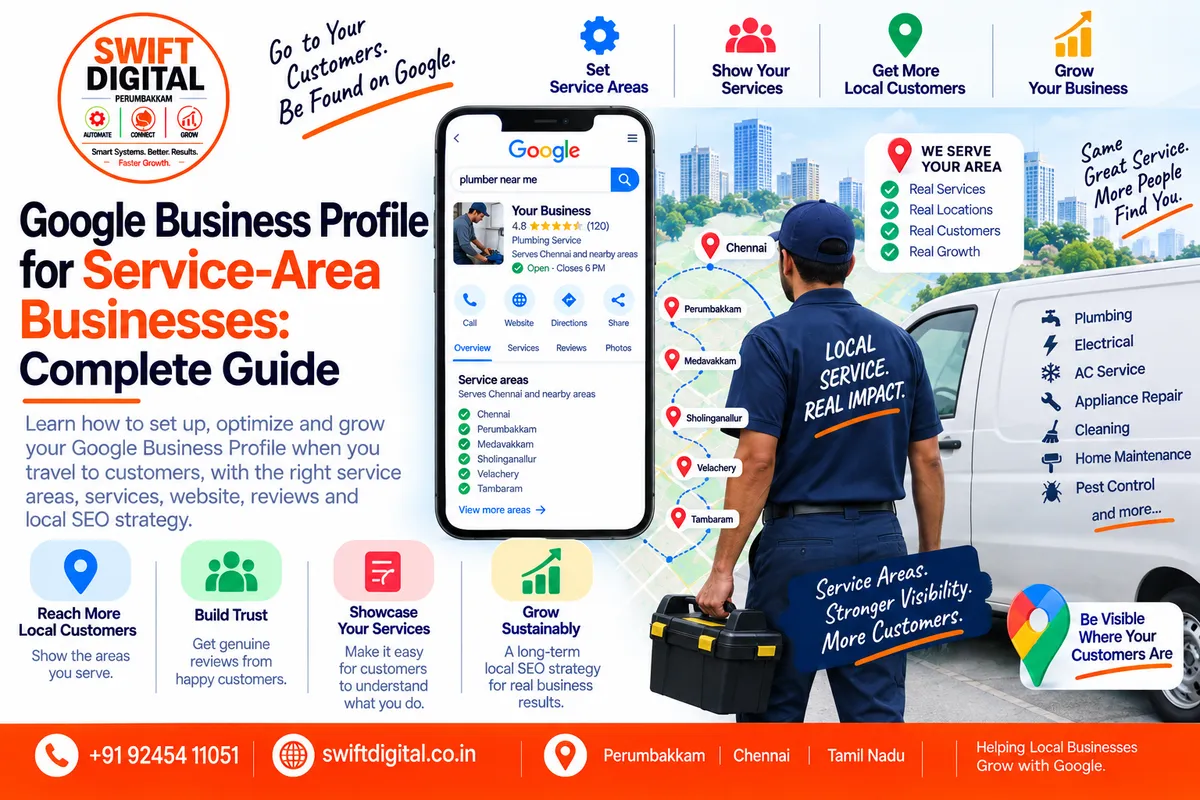
Google Business Profile for Service-Area Businesses: Complete Guide
Not every business has a storefront where customers visit.
Many businesses travel to customers instead.
Examples include:
Plumbers
Electricians
Cleaners
Landscapers
Pest-control companies
Mobile repair businesses
Home-service providers
Delivery businesses
Certain professional service businesses
Google supports these businesses through service-area Business Profiles.
A service-area business can use its Google Business Profile to communicate where it provides products or services, while following Google's eligibility, address, and service-area requirements.
This guide explains how service-area businesses should approach GBP setup, service areas, website SEO, reviews, local landing pages, and ongoing optimization.
What Is a Service-Area Business?
A service-area business (SAB) is a business that visits or delivers to customers directly but does not serve customers at its business address.
Google gives examples such as cleaning services and plumbers.
For example:
A plumber operates from a home office but travels to customers' homes to perform plumbing work.
The business may be eligible for a service-area Business Profile even though customers don't visit the business address.
What Is a Hybrid Business?
A hybrid business both serves customers at its business address and travels to or delivers to customers.
For example:
An auto repair shop has a physical garage where customers bring vehicles but also provides roadside assistance.
Google allows eligible hybrid businesses to display their storefront address and designate a service area.
Service-Area Business vs Storefront vs Hybrid
Business Type | Customers Visit Location? | Travels to Customers? | Address Shown? | Service Area |
|---|---|---|---|---|
Storefront | Yes | Not necessarily | Yes | Usually not the main setup |
Service-area business | No | Yes | Hidden | Yes |
Hybrid business | Yes | Yes | Yes | Yes |
The correct setup depends on how the business actually operates.
Why Service-Area Businesses Need Special GBP Setup
A storefront business can use its physical address as a major geographic signal.
A service-area business works differently.
Google says that if customers aren't served at the business address, the address should be removed from the public Business Profile and the service area should be used instead.
This distinction is important.
Don't create a storefront-style profile simply because you want your address to appear on Google Maps.
Step 1: Check Business Profile Eligibility
Before creating or optimizing a profile, confirm that the business qualifies.
Google states that an eligible business generally needs to make in-person contact with customers during its stated hours, subject to Google's listed exceptions. Online-only businesses and certain other business models aren't eligible.
Ask:
Does the business actually interact with customers in person?
Does it visit customers?
Does it deliver products/services directly?
Is it operating as a genuine business?
Is the profile being managed by the owner or authorized representative?
If the business is entirely online and never makes in-person contact with customers, a Google Business Profile may not be appropriate.
Step 2: Determine Whether You're an SAB or Hybrid Business
Ask one simple question:
Do customers visit my business address during my stated hours?
If NO
You may be a service-area business.
Your address should generally be hidden from customers, and your service area should be specified.
If YES
If you also travel to customers, you may be a hybrid business.
The physical address can be displayed, along with the service area.
Step 3: Set Your Service Area
Google currently allows up to 20 service areas based on cities, postal codes, or other supported geographic areas.
For example:
Perumbakkam
Medavakkam
Sholinganallur
Velachery
Tambaram
Only include locations the business actually serves.
Don't Use a Radius
Google's current service-area system does not allow you to define the area simply as a radius around the business.
Instead, service areas are specified using cities, postal codes, or other supported geographic areas.
So instead of:
30 km radius from Chennai
you would select the relevant geographic areas.
How Large Should Your Service Area Be?
Google recommends being specific and accurate.
It says the overall service area generally shouldn't extend more than about two hours of driving time from where the business is based, although Google notes that larger areas can be appropriate for some businesses.
Don't select every city in a state simply to increase geographic coverage.
Your service area should reflect your actual operations.
Step 4: Hide Your Address When Customers Don't Visit
If you run a service-area business from your home and customers don't visit that address:
Don't publicly display the residential address.
Google specifically instructs service-area businesses to hide their address from customers.
This is both a policy and customer-privacy consideration.
Important: Don't Create Fake Locations
One of the most common local SEO mistakes is creating fake addresses in cities where a business wants to rank.
For example:
A plumber based in Chennai creates a fake office in Coimbatore solely to create another GBP.
That is not a legitimate local SEO strategy.
Google's guidelines say service-area businesses should have one profile for the central office/location with a designated service area, and virtual offices cannot be used unless they meet Google's requirements.
Step 5: Use the Real Business Name
Your service-area status doesn't change the business-name requirements.
Use the business's real-world name.
For example:
Correct:
Swift Digital
Don't add:
Swift Digital Best SEO Agency Chennai Perumbakkam
simply to target geographic keywords.
Google's guidelines require the Business Profile to accurately represent how the business is known in the real world.
Step 6: Choose the Correct Primary Category
Your primary category should describe what the business actually is.
For example:
A plumbing company shouldn't choose an unrelated category simply because it appears popular in local searches.
Review:
Core business
Main customer need
Available Google categories
Additional relevant categories
Google advises against using categories simply as keywords.
Step 7: Add Relevant Services
Service-area businesses should make their services clear.
For example, a cleaning company might offer:
Home cleaning
Deep cleaning
Office cleaning
Move-out cleaning
A plumbing company might offer:
Leak repair
Drain cleaning
Water heater repair
Pipe repair
Only add services actually offered.
Step 8: Optimize Your Business Description
Your description should explain:
What you do
Who you serve
Important services
Your genuine business focus
For example:
We provide residential and commercial plumbing services throughout Chennai, including leak repair, drain cleaning, pipe repair, and emergency plumbing assistance.
The description should be natural and accurate.
Don't turn it into a list of city names.
Step 9: Use Your Website to Support Your Service Area
Your website should clearly explain:
What you offer
Where you operate
How customers contact you
How your service works
What customers can expect
A service-area business can benefit from useful service and location content without pretending to have physical offices everywhere.
Create Service Pages
For example:
/services/ plumbing/ drain-cleaning/ leak-repair/ water-heater-repair/Each page should provide useful information about the actual service.
Create Location Pages Where Justified
You can also create useful local pages where there is enough genuine information to justify them.
For example:
/locations/chennai/
/locations/perumbakkam/
/locations/medavakkam/
But don't create dozens of pages with identical content.
Each page should provide real value to people in that location.
Don't Create Fake Local Offices
There's an important distinction:
Legitimate
"We provide plumbing services in Perumbakkam."
Misleading
"Our Perumbakkam office is located at..." when no such office exists.
Your website should accurately describe the business model.
Step 10: Optimize the Website's Contact Information
Your website should make it easy to contact the business.
Include appropriate:
Phone
Email
Contact form
Appointment option
Service area
Business hours
Emergency contact information where applicable
Don't publish a residential address publicly if the business operates as a service-area business and customers don't visit that location.
Step 11: Create Local Landing Pages Carefully
A good service-area landing page might include:
H1
Plumbing Services in Perumbakkam
Introduction
Explain the actual service.
Services Available
List the relevant services.
Service Process
Explain what happens after contacting the business.
Areas Served
Describe nearby areas genuinely covered.
Customer Questions
Answer common local questions.
Contact
Give customers a clear next step.
Step 12: Add Genuine Local Proof
Useful local proof can include:
Genuine customer reviews
Real project photographs
Case studies
Local project examples
Customer testimonials
Service-area experience
For example:
Completed a water-leak repair project for a residential customer in Perumbakkam.
Only use real examples.
Never invent projects or testimonials.
Step 13: Build a Genuine Review Process
Reviews are especially useful for service businesses because customers often want evidence that a company actually delivers good service.
After a legitimate customer interaction, you can ask for a review.
Google allows businesses to request reviews using a review link or QR code.
Possible channels include:
SMS
Email
WhatsApp
Review QR code
Post-service follow-up
Don't Incentivize Reviews
Don't offer:
Discounts
Gifts
Cash
Coupons
Free services
in exchange for reviews.
Don't ask customers to change or remove reviews in exchange for benefits.
The objective should be genuine customer feedback.
Step 14: Respond to Reviews
Create a consistent response process.
Positive Review
Thank the customer.
Neutral Review
Acknowledge the feedback.
Negative Review
Respond professionally and provide an appropriate resolution path.
Don't reveal private customer information.
Don't argue publicly.
Step 15: Add Authentic Photos
A service-area business doesn't need a storefront to have useful photographs.
Examples:
Team
Vehicles
Equipment
Tools
Completed work
Products
Service process
Branded materials
Before-and-after work where appropriate
Google recommends using photos to help customers understand the business and its offerings.
Authentic photographs are generally more useful than generic stock photos.
Step 16: Use Videos
Useful videos can show:
How a service works
Product installation
Equipment
Team expertise
Completed projects
Customer education
Keep the content relevant to the actual business.
Step 17: Keep Business Information Consistent
Check your information across:
GBP
Website
Social profiles
Business directories
Industry directories
Relevant local listings
For a service-area business, consistency should include:
Business name
Phone
Website
Service description
Service-area information
Don't create fake addresses just to make listings look more complete.
Step 18: Use Local Citations Carefully
Local citations can help establish consistent business information across the web.
Focus on:
Relevant directories
Industry organizations
Local business organizations
Legitimate professional listings
Don't create hundreds of low-quality directory listings.
Quality and relevance matter more than citation volume.
Step 19: Build Genuine Local Authority
A service-area business can develop local visibility through legitimate relationships.
Examples:
Industry associations
Local organizations
Community events
Local publications
Business partnerships
Relevant sponsorships
Professional organizations
Avoid paid link schemes.
Step 20: Understand Distance
This is especially important for service-area businesses.
Google says local results are influenced by distance—how far the business is from the searcher or the location included in the search.
You cannot legitimately change a business's physical location simply to appear closer to a searcher.
A business based in Chennai should not create a fake location in another city simply to manipulate local search.
Service Area Does Not Mean Unlimited Ranking Coverage
Adding a city to your service area doesn't guarantee visibility for searches from that city.
Your profile still exists within Google's local ranking system.
Google considers:
Relevance + Distance + Prominence
among its primary local-ranking factors.
Service areas communicate where you provide services; they don't guarantee a particular ranking position.
Service-Area Business SEO Strategy
A sustainable strategy can be structured like this:
GBP
Accurate category
Accurate service area
Services
Business description
Reviews
Photos
↓
Website
Service pages
Useful location pages
Local FAQs
Contact information
↓
Reputation
Genuine reviews
Professional responses
Customer experience
↓
Local Authority
Legitimate citations
Local mentions
Relevant links
Partnerships
↓
Measurement
GBP Performance
Search Console
Analytics
Leads
Service-Area Business Content Strategy
Create content around customer questions.
Examples:
Educational
How Often Should You Service Your Air Conditioner?
Local
How to Choose an AC Repair Service in Chennai
Service
Emergency AC Repair: What to Expect
Problem-Based
Why Is My Air Conditioner Not Cooling?
Location + Service
AC Repair Services in Perumbakkam
The content should help customers rather than simply target geographic keywords.
Service-Area Business Competitor Analysis
Analyze businesses that genuinely serve the same area.
Compare:
Primary categories
Services
Reviews
Review themes
Photos
Website
Local pages
Customer experience
Legitimate local mentions
Don't copy competitor profiles.
Use them to understand the market.
Service-Area Business Audit Checklist
Business Model
Confirm service-area eligibility
Determine SAB vs hybrid
Confirm in-person customer interaction
Confirm authorized profile owner
Profile
Real business name
Correct primary category
Relevant additional categories
Accurate phone
Correct website
Accurate hours
Location
Address hidden if customers don't visit
Service area accurately configured
No fake locations
No virtual office misuse
Service area reflects actual operations
Services
Services listed
Service descriptions accurate
Website service pages aligned
Reputation
Review request process
Genuine reviews
Review responses
No incentives
Website
Service pages
Useful location pages
Local FAQs
Clear contact options
Mobile-friendly
LocalBusiness structured data where appropriate
Local SEO
NAP consistency
Relevant citations
Local mentions
Legitimate links
Competitor analysis
30-Day Service-Area GBP Action Plan
Week 1 — Setup
Day 1
Confirm business eligibility.
Day 2
Determine SAB or hybrid status.
Day 3
Audit business name.
Day 4
Review primary category.
Day 5
Review additional categories.
Day 6
Check phone and website.
Day 7
Check hours and business information.
Week 2 — Service Area
Day 8
Review service areas.
Day 9
Remove locations no longer served.
Day 10
Check whether the overall area is realistic.
Day 11
Audit service descriptions.
Day 12
Improve business description.
Day 13
Review attributes.
Day 14
Add or update authentic photographs.
Week 3 — Website & Local SEO
Day 15
Audit service pages.
Day 16
Create or improve important service pages.
Day 17
Review location pages.
Day 18
Remove weak/duplicate location content.
Day 19
Improve internal linking.
Day 20
Audit NAP.
Day 21
Review relevant citations.
Week 4 — Reputation & Measurement
Day 22
Create review request process.
Day 23
Respond to existing reviews.
Day 24
Analyze customer feedback.
Day 25
Research competitors.
Day 26
Review local authority opportunities.
Day 27
Check GBP Performance.
Day 28
Review website analytics.
Day 29
Document improvements.
Day 30
Create the next 90-day plan.
Common Service-Area Business Mistakes
1. Showing a residential address
If customers don't visit the address, Google says the address should be hidden.
2. Creating fake offices
Don't create locations where the business doesn't actually operate.
3. Adding every nearby city
Only list areas genuinely served.
4. Creating multiple profiles for one service area
Google says service-area businesses should generally have one profile for the central office/location with a designated service area.
5. Keyword-stuffing the business name
Use the real-world business name.
6. Creating duplicate location pages
Don't create thin pages just by changing city names.
7. Buying reviews
Build genuine customer feedback.
8. Buying links
Build legitimate local authority instead.
9. Treating service areas as ranking guarantees
A service area tells customers where you operate; it doesn't guarantee a particular search position.
Frequently Asked Questions
Can a service-area business have a Google Business Profile?
Yes, eligible service-area businesses can have Business Profiles. Google describes service-area businesses as businesses that visit or deliver to customers rather than serving them at their business address.
Can I hide my address?
Yes. If customers don't visit your business address, Google says you should remove/hide the address and use your service area instead.
How many service areas can I add?
Google currently allows up to 20 service areas based on cities, postal codes, or other supported areas.
Can I use a 50-kilometer radius?
Google's current service-area setup does not allow you to define the area as a radius. Use supported geographic areas such as cities or postal codes instead.
Can I create one GBP for every city I serve?
Not simply because you serve those cities.
Google says service-area businesses should have one profile for the central office/location with a designated service area. Additional profiles require qualifying business locations that comply with Google's guidelines.
Can a service-area business have a website?
Absolutely. The website should clearly explain the business, services, service areas, and customer contact process.
Should I create a landing page for every service area?
Not necessarily.
Create a location page when it provides substantial, useful information for customers in that area.
Can I use my home address?
A service-area business can operate from a residential location, but if customers don't visit that location, Google says the address should be hidden from the public Business Profile.
Can I use a virtual office?
Google's guidelines state that service-area businesses can't list a virtual office unless that office is staffed during business hours and otherwise meets Google's requirements.
Final Thoughts
Service-area businesses can build a strong local search presence without pretending to have storefronts everywhere.
The correct approach is:
Accurate Business Model
↓
Correct GBP Setup
↓
Accurate Service Areas
↓
Useful Services & Content
↓
Genuine Reviews
↓
Strong Website
↓
Legitimate Local Authority
↓
Ongoing Measurement
Google's current guidance is clear that service-area businesses should accurately represent where they operate, use appropriate service areas, and avoid misleading locations.
Your service area should describe where you actually serve customers—not where you wish you ranked.
And remember: service-area optimization supports local relevance and customer discovery, but it does not override the geographic distance factor or guarantee a particular Google Maps ranking.


