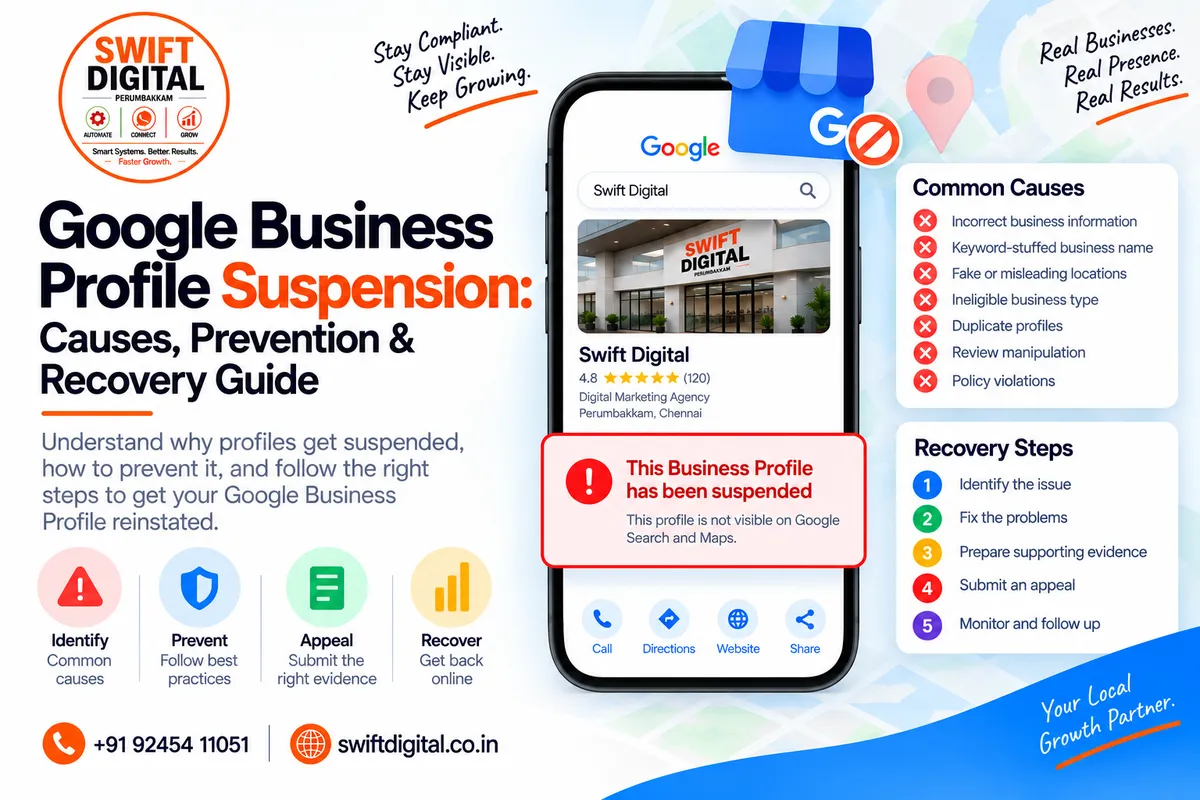
Google Business Profile Suspension: Causes & Recovery Guide
A Google Business Profile suspension can be stressful, especially when your business depends on Google Search and Google Maps for local visibility.
A suspension means Google has restricted or disabled a Business Profile because it believes the profile or account does not comply with its policies. Google provides an appeal process for businesses that believe their profile should be reinstated.
The safest approach is not to create another profile or repeatedly change information. Instead, identify the potential policy issue, correct it, collect appropriate evidence, and use Google's official appeal process.
This guide explains common causes of suspension, prevention practices, what to check before appealing, and how to approach recovery.
What Is a Google Business Profile Suspension?
A Google Business Profile suspension occurs when Google restricts a profile from displaying normally or restricts access to the profile because of a policy or eligibility issue.
Google states that Business Profiles may be suspended or disabled when they don't follow its guidelines. Businesses that believe a suspension was incorrect can submit an appeal.
A suspension can affect your ability to manage the profile and may reduce or remove the profile's visibility in Google Search and Maps.
There are also situations where the Google account managing the profile is restricted. In that situation, the profiles managed by that account can also be suspended.
Why Does Google Suspend Business Profiles?
There isn't one single reason for every suspension.
Google's policies cover business eligibility, ownership, representation, content, reviews, and other forms of activity on Business Profiles.
Common areas to investigate include:
1. Incorrect Business Information
Your Business Profile should accurately represent your real-world business.
Google recommends that the business name reflect the name used consistently in the real world and that the address or service area be accurate.
Problems can arise when businesses use:
Keyword-stuffed business names
Promotional phrases in the business name
Incorrect addresses
Fake locations
Unnecessary duplicate profiles
Inaccurate service areas
Unauthoritative phone numbers or websites
For example, if the real business name is:
Swift Digital
Adding keywords such as:
Swift Digital - Best Digital Marketing Agency in Chennai
would not accurately represent the real-world business name unless that is genuinely how the business is represented in the real world.
2. Business Eligibility Problems
Not every business qualifies for a Google Business Profile.
Google says eligible businesses generally need to make in-person contact with customers during their stated hours, subject to specific exceptions. Online-only businesses and lead-generation companies are among examples Google identifies as ineligible.
Before creating or appealing a profile, confirm that the business actually qualifies.
Check:
Does the business interact with customers in person?
Is the business operating at the stated location?
Is the location legitimate?
Is the service-area setup accurate?
Does the business have authority to represent the location?
Is the profile representing a real business?
Eligibility should be established before spending time on optimization.
3. Keyword Stuffing the Business Name
One common mistake is treating the business-name field as an SEO keyword field.
Google says a Business Profile name should reflect the business's real-world name and that unnecessary information in the business name isn't permitted. Google specifically notes that violating this guideline can result in suspension.
Avoid:
ABC Plumbing - Best Plumber in Chennai - 24/7 Emergency Plumbing
if the actual business is simply:
ABC Plumbing
Use the other profile fields for legitimate business information, including:
Primary category
Additional categories
Services
Description
Website
Service areas
4. Duplicate Business Profiles
Google's guidelines generally call for one Business Profile per business. Multiple profiles for the same business can create problems with how information appears on Google Maps and Search.
Before creating a new listing, check whether an existing profile already represents the business.
If an existing profile has been suspended, creating another profile is not an appropriate shortcut.
Google specifically advises not to create a new Business Profile for the same business while an appeal is under review.
5. Fake or Misleading Locations
Location information needs to represent the actual business.
Problems can include:
Virtual offices used as business locations
Fake storefronts
Locations where the business has no legitimate presence
Incorrect addresses
Unapproved locations
P.O. boxes used as business locations
Google's guidelines require businesses to represent themselves accurately and provide an accurate address or service area.
6. Review and Rating Manipulation
Review practices can also create policy problems.
Google prohibits fake engagement and rating manipulation. This includes paid reviews, incentivized reviews, reviews that don't represent genuine experiences, and attempts to manipulate ratings.
Never use:
Purchased reviews
Fake customer accounts
Reviews from employees pretending to be customers
Reviews generated from multiple accounts
Discounts in exchange for reviews
Requests for customers to change or remove negative reviews in exchange for incentives
A sustainable review strategy should simply make it easy for genuine customers to share genuine experiences.
What Is the Difference Between a Profile Suspension and Account Restriction?
This distinction matters during recovery.
Profile Suspension
The restriction is associated with a specific Business Profile.
Account Restriction
Google may restrict the account managing the profile because of policy violations.
Google states that when an account is restricted, the Business Profiles managed by that account can also be suspended. The account restriction needs to be addressed before the Business Profile suspension can be handled.
Therefore, don't assume every suspension is simply a profile-level issue.
How to Check Your Profile Before Appealing
Before submitting an appeal, perform a complete compliance audit.
Business Identity
Check:
Real business name
Legal/business documentation
Storefront signage, where applicable
Website business name
Phone number
Business address
Service area
Profile Structure
Check:
Primary category
Additional categories
Business description
Services
Hours
Website
Appointment links
Photos
Business attributes
Location
Verify:
Address is real
Address is formatted correctly
Business operates at the location where applicable
Service-area information is accurate
No fake location is being used
Ownership
Confirm that:
The business owner owns or controls the profile
Managers are authorized
An SEO agency has legitimate permission
No former employee or agency retains inappropriate ownership access
Google states that only business owners or authorized representatives should verify and manage a Business Profile.
How to Fix a Suspended Google Business Profile
Follow a structured process rather than making random changes.
Step 1: Identify the Likely Policy Problem
Review the profile against Google's:
Eligibility guidelines
Business representation guidelines
Prohibited content policies
Ownership requirements
Other applicable Business Profile policies
Google maintains a central collection of its Business Profile policies and guidelines.
Step 2: Correct the Problem
Fix the underlying issue before submitting an appeal.
Examples:
Remove unnecessary words from the business name
Correct an inaccurate address
Remove duplicate profiles
Correct service-area information
Fix category selections
Remove misleading information
Resolve ownership problems
Stop prohibited review practices
The objective is to make the profile compliant—not simply to convince Google to restore it.
Step 3: Gather Supporting Evidence
Google's appeal documentation says supporting evidence may include documents such as:
Official business registration
Business license
Tax certificates
Utility bills
Electricity bills
Phone bills
Water bills
Internet bills
Google recommends checking that the business name and address on submitted documents match the profile being appealed.
Only provide legitimate documentation relevant to the business.
Step 4: Submit the Official Appeal
Google provides an official process for appealing suspended or disabled Business Profiles.
Before submitting, make sure the profile complies with the relevant guidelines. Google then provides an appeal workflow where you can submit the appeal and, when requested, supporting evidence.
One important detail: Google states that once you open the evidence form, you must submit it within 60 minutes for the evidence to be attached to the appeal.
Prepare your documents before beginning the process.
Step 5: Don't Create a Replacement Profile During the Appeal
This is an important recovery rule.
Google explicitly advises businesses not to create a new Business Profile for the same business while an appeal is under review.
Creating additional profiles can complicate the situation instead of resolving the original issue.
Step 6: Monitor the Appeal
After submitting your appeal, monitor its status through the appropriate Google process.
If Google requests additional information, provide accurate and relevant documentation.
Avoid submitting contradictory information.
Your:
Business name
Address
Registration details
Website
Phone number
Supporting documents
should tell the same factual story.
How to Prevent Google Business Profile Suspension
Prevention starts with compliance.
Maintain Accurate Business Information
Keep your:
Name
Address
Phone
Website
Hours
Categories
Services
Service areas
accurate and up to date.
Google's guidelines emphasize accurate business representation and precise address/service-area information.
Use the Correct Business Name
Don't add keywords simply because you want more local search visibility.
Your business name should reflect how the business is actually represented in the real world.
Avoid Fake Locations
Don't create locations simply to target additional cities.
A location should represent a legitimate business presence.
For service-area businesses, use the appropriate service-area configuration rather than creating fake storefronts.
Use Genuine Reviews
Build your reputation through real customers and real experiences.
You can ask genuine customers to leave reviews, but don't:
Buy reviews
Offer incentives
Manufacture reviews
Manipulate ratings
Ask customers to submit content that doesn't reflect their experience
Google permits businesses to encourage genuine reviews without incentives or attempts to influence the review content or rating.
What About SEO Agencies Managing GBP Profiles?
Agencies can manage Business Profiles as authorized representatives, but they need to follow Google's requirements.
Google states that authorized representatives must have express consent from the business owner, avoid false or misleading claims, work directly with the owner on verification, and keep the owner informed about actions taken.
The business owner should retain appropriate control of the Business Profile.
Best practice for agencies:
Business owner creates/owns the account.
Agency receives appropriate manager access.
Business information comes directly from the client.
Agency documents changes.
Client remains informed.
No misleading optimization tactics are used.
Ownership is transferred appropriately when requested.
This reduces operational and ownership risks.
Google Business Profile Suspension Recovery Checklist
Use this checklist before submitting an appeal:
Business Eligibility
Business qualifies for a Business Profile
Business makes required in-person customer contact
Business is not an online-only/ineligible business
Business Information
Real business name
Accurate address
Accurate service area
Correct phone
Authoritative website
Correct business hours
Profile
Correct primary category
Appropriate additional categories
Accurate services
Accurate description
No misleading information
Location
Legitimate location
No fake address
No unnecessary duplicate profile
Service-area setup is accurate
Reviews
No purchased reviews
No incentivized reviews
No fake reviews
No rating manipulation
Ownership
Owner has appropriate access
Managers are authorized
Agency access is legitimate
No former agency/employee controls the profile
Appeal
Policy issue identified
Problem corrected
Supporting documents prepared
Business name matches documents
Address matches documents where applicable
Appeal submitted through Google's official process
No replacement profile created during appeal
30-Day Google Business Profile Compliance Plan
Week 1: Audit
Review:
Business eligibility
Name
Address
Phone
Website
Categories
Services
Service areas
Ownership
Reviews
Duplicate listings
Week 2: Correct
Fix inaccurate or non-compliant information.
Remove unnecessary profile changes and ensure the profile reflects the actual business.
Week 3: Documentation
Organize legitimate business evidence such as:
Registration documents
Licenses
Tax documents
Utility bills
Business signage/photos where relevant
Week 4: Monitor & Maintain
Create an ongoing compliance process.
Review your Business Profile whenever there is a major business change, such as:
Moving locations
Changing phone numbers
Changing websites
Changing business names
Adding/removing locations
Changing business operations
Final Thoughts
A Google Business Profile suspension should be treated as a compliance and eligibility problem first, not an SEO problem.
The right recovery process is:
Identify → Correct → Document → Appeal → Monitor
Avoid shortcuts such as creating duplicate profiles, using fake locations, stuffing keywords into the business name, or manipulating reviews.
Google's official guidelines emphasize accurate business representation, eligibility, legitimate ownership, and compliance with its policies.
A compliant profile also gives your local SEO strategy a stronger foundation because you can then focus on legitimate improvements such as relevance, accurate information, customer reviews, useful content, and prominence.
Frequently Asked Questions
Why was my Google Business Profile suspended?
Google may suspend or disable profiles that don't follow its Business Profile policies or eligibility requirements. The specific reason depends on the profile and circumstances.
Can I create a new profile after suspension?
Don't create a new profile for the same business while an appeal is under review. Google explicitly advises against doing so.
What documents can help with a suspension appeal?
Google lists documents such as official business registration, business licenses, tax certificates, and utility bills as examples of supporting evidence.
Can keyword stuffing cause suspension?
It can create a policy problem. Google says unnecessary information in the business name isn't permitted and may result in suspension.
Can fake reviews cause problems?
Yes. Google prohibits fake engagement, paid reviews, incentivized reviews, and rating manipulation.
Should I hire an SEO agency to recover my profile?
An agency can help audit and manage a profile, but it should work with the business owner and follow Google's authorized-representative requirements.


