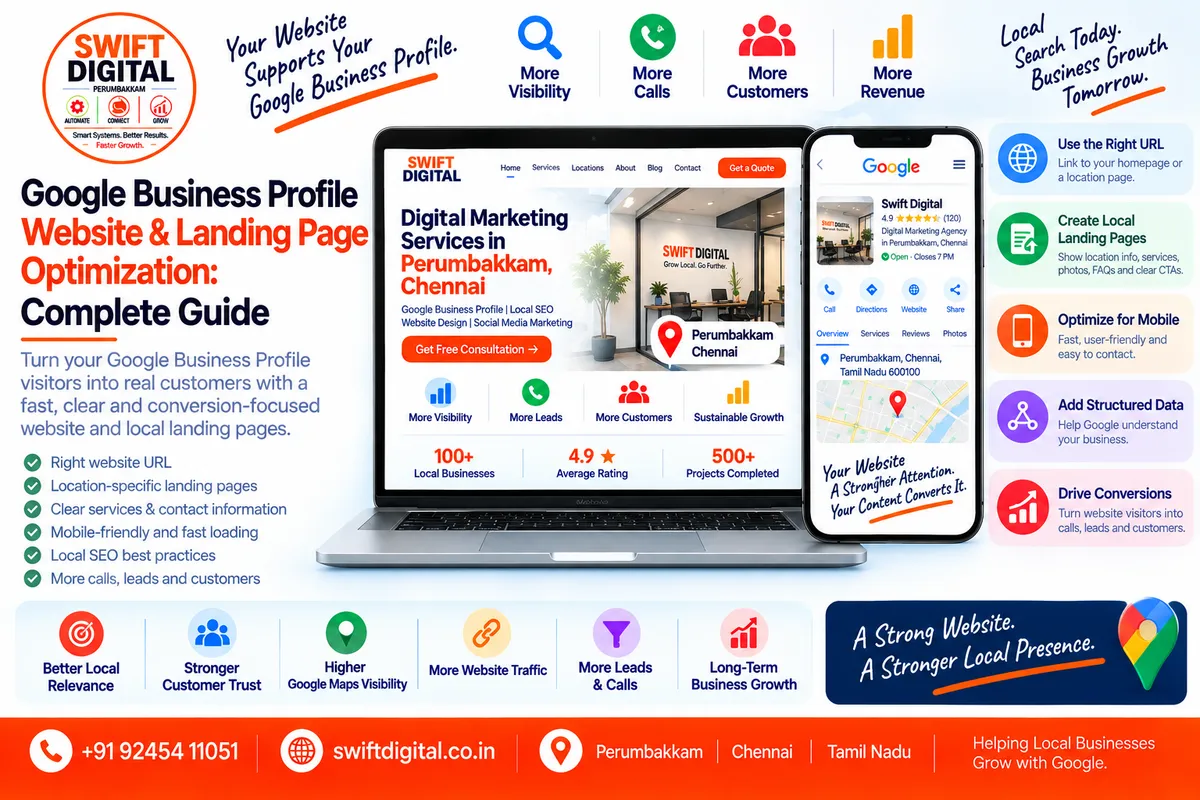
Google Business Profile Website & Landing Page Optimization: Complete Guide
Your Google Business Profile and your website should work together.
Your Business Profile helps customers discover your business through Google Search and Maps, while your website can provide the detailed information customers need before contacting or visiting you.
Google allows businesses to add their website to their Business Profile and recommends that the website URL be accessible to Googlebot.
For local businesses, the goal isn't to create a website simply because Google asks for one.
The goal is to create a useful, trustworthy, location-relevant website experience that supports both customers and your local search presence.
What Is Google Business Profile Website Optimization?
Google Business Profile website optimization means improving the website connected to your GBP so that it accurately represents your business and provides useful information to local customers.
This can include:
Website structure
Location pages
Service pages
Business information
Contact information
Local content
Internal linking
Page titles
Meta descriptions
Images
LocalBusiness structured data
Calls to action
Mobile usability
Conversion tracking
Technical accessibility
Your GBP and website should communicate consistent, accurate information.
Google uses information from multiple sources, including publicly available information such as content crawled from a business's official website.
Why Does Your Website Matter for Google Business Profile?
A complete Business Profile is important, but your website provides additional context.
For example, a GBP might say:
Swift Digital — Digital Marketing Agency
The website can explain:
What services are offered
Who the business serves
Where it operates
How customers can contact it
What makes the company different
What specific services are available
What customers can expect
Google's local ranking guidance says local results are mainly based on relevance, distance, and prominence. Complete and accurate business information helps Google understand the business and match it with relevant searches.
Step 1: Add the Correct Website to Your GBP
Your Business Profile should link to the business's authoritative website.
Google's current documentation says businesses can add their website URL to their Business Profile and that Googlebot should not be blocked from accessing the site.
Check your GBP website field
Make sure:
The URL is correct
HTTPS works
The page loads
Googlebot can access it
The page represents your business
The website is controlled by the business
The page isn't broken
The URL doesn't redirect unnecessarily
Google's eligibility guidance also says the website associated with a Business Profile should be the authoritative website for the business and verifiable by the business owner.
Step 2: Decide Whether the Homepage or a Location Page Should Be Used
For a single-location business, the homepage may be an appropriate destination.
For a multi-location business, a dedicated location page can often provide more relevant information.
Example
Instead of:
example.com/for every location:
example.com/locations/chennai/
example.com/locations/tambaram/
example.com/locations/velachery/
Each page should genuinely describe that location.
This is particularly useful for businesses with multiple branches because each physical location may have different:
Address
Phone
Opening hours
Services
Photos
Directions
Local customer information
Google's LocalBusiness structured-data documentation recommends defining each local business location as a LocalBusiness entity.
Step 3: Create Useful Local Landing Pages
A local landing page should answer the questions a customer has about that location.
Include:
Business information
Business name
Address
Phone
Opening hours
Services
Main services
Relevant service descriptions
Location-specific offerings
Customer information
Directions
Parking
Accessibility
Booking information
FAQs
Local information
Areas served
Nearby landmarks where useful
Local photos
Location-specific information
Conversion elements
Call button
Appointment button
Contact form
Directions
WhatsApp where appropriate
The page should be useful even if the visitor arrives through an organic search result rather than Google Maps.
Step 4: Don't Create Thin City Pages
One of the most common local SEO mistakes is creating dozens of almost identical pages.
For example:
/digital-marketing-chennai/
/digital-marketing-tambaram/
/digital-marketing-velachery/
/digital-marketing-adyar/
/digital-marketing-porur/
If every page contains almost identical content with only the city name changed, the pages may provide little additional value.
Google's Search spam policies specifically describe doorway abuse as creating pages targeting similar queries that provide little independent value or funnel users toward another destination.
Better approach
Only create location pages when you have something genuinely useful to say about that location.
Step 5: Keep NAP Information Accurate
NAP means:
Name + Address + Phone
Your website should accurately represent the business information shown on GBP.
For example:
Swift Digital
Perumbakkam, Chennai, Tamil Nadu
+91 92454 11051
Don't introduce conflicting information across:
GBP
Website
Location page
Contact page
Business directories
Google receives business information from multiple sources, including websites, users, third-party data and business owners.
Accurate information helps create a more consistent representation of the business.
Step 6: Optimize Your Page Title
Your page title should clearly communicate what the page is about.
Example
Instead of:
Home
Use something descriptive such as:
Digital Marketing Agency in Chennai | Swift Digital
For a location page:
Swift Digital — Digital Marketing Agency in Perumbakkam
Don't turn titles into keyword lists.
The title should be useful to the person searching.
Step 7: Write a Useful Meta Description
A meta description can help communicate what the page offers.
Example:
Explore digital marketing, Google Business Profile and local SEO services from Swift Digital in Perumbakkam, Chennai.
Keep it natural.
Avoid:
Digital marketing Chennai best digital marketing agency Chennai SEO Chennai Google Maps Chennai cheap SEO Chennai.
Keyword stuffing doesn't improve the user experience.
Step 8: Use One Clear H1
Your main heading should clearly identify the page.
Example:
Digital Marketing Agency in Perumbakkam, Chennai
Then use H2 headings for major sections:
Google Business Profile Optimization
Local SEO Services
Website Design
Why Choose Swift Digital?
Frequently Asked Questions
This creates a clear content hierarchy.
Step 9: Build Service Pages
Don't put every service on one giant page if customers need more detailed information.
For example:
/services/ google-business-profile/ local-seo/ website-design/ seo/ social-media-marketing/Each service page can explain:
What the service is
Who it's for
What is included
Process
FAQs
Expected deliverables
Contact options
Then connect the service pages to relevant location pages.
Step 10: Connect Location Pages and Service Pages
A strong local website structure can look like:
Homepage
│
├── Services
│ ├── Google Business Profile
│ ├── Local SEO
│ └── Website Design
│
└── Locations ├── Chennai ├── Perumbakkam ├── Tambaram └── Velachery
You can then create useful internal connections between relevant pages.
For example:
Chennai location page → Google Business Profile service page
and:
Google Business Profile service page → Chennai location page
Internal links help visitors navigate your website and help search engines understand relationships between pages.
Step 11: Add Local Business Structured Data
Google Search supports LocalBusiness structured data.
Google recommends defining each local business location as a LocalBusiness type and using the most specific subtype possible.
Depending on the business, this could include types such as:
Restaurant
Dentist
DaySpa
HealthClub
Store
Structured data can communicate information such as:
Business name
Address
Phone
Opening hours
Website
Departments
Other applicable business information
Structured data should accurately represent visible page content.
It isn't a shortcut to higher rankings.
Step 12: Add Your Business Address Correctly
If you operate a storefront where customers visit, display the appropriate business address.
For a service-area business that doesn't receive customers at its address, the GBP configuration and website should reflect the actual business model rather than presenting a misleading storefront.
Google's guidelines require businesses to accurately represent their real-world operations and use accurate addresses or service areas.
Step 13: Optimize for Mobile Users
Many local searches happen on mobile devices.
Your website should make it easy to:
Call
Get directions
Book
Request a quote
Send a message
View services
Find opening hours
Test your mobile experience
Ask:
If someone finds my GBP while standing outside my business, can they quickly understand what to do next?
If the answer is no, improve the page.
Step 14: Add Strong Calls to Action
Every important local page should have an obvious next step.
Examples:
Service business
Request a Quote
Clinic
Book an Appointment
Restaurant
View Menu
Local agency
Get a Free Consultation
Home-service business
Call for Service
Don't overwhelm users with ten different CTAs.
Choose the action that matters most for the business.
Step 15: Make Phone Numbers Clickable
On mobile, customers should be able to tap the phone number.
Example:
Call +91 92454 11051
This reduces friction between discovery and conversion.
For multi-location businesses, make sure the number corresponds to the correct location where appropriate.
Step 16: Add Location-Specific Photos
Your website should complement your GBP photos.
For a physical location, consider adding:
Exterior
Entrance
Reception
Staff
Interior
Products
Equipment
Services
For service-area businesses:
Team
Vehicles
Equipment
Work in progress
Completed projects
Branded uniforms
Real images can help customers understand what the business actually looks like.
Step 17: Add Customer Reviews Carefully
Testimonials can help visitors understand customer experiences.
Use genuine customer feedback.
Don't manufacture testimonials.
Don't create fake reviews.
Don't alter customer statements in a misleading way.
The objective is to provide trustworthy information to potential customers.
Google's local-ranking documentation notes that prominence can involve information such as links and reviews.
Step 18: Create an FAQ Section
A useful local landing page can answer common customer questions.
For example:
Do you serve customers in Perumbakkam?
Yes, our team serves customers in the Perumbakkam area.
What services do you offer?
We provide Google Business Profile optimization, local SEO and related digital marketing services.
How can I contact you?
Call, WhatsApp or use the contact form.
The FAQs should answer genuine customer questions rather than being created purely to insert keywords.
Step 19: Keep Your GBP and Website Aligned
Create a monthly consistency check.
Compare:
Information | GBP | Website |
|---|---|---|
Business Name | ✓ | ✓ |
Address | ✓ | ✓ |
Phone | ✓ | ✓ |
Website | ✓ | ✓ |
Hours | ✓ | ✓ |
Services | ✓ | ✓ |
Location | ✓ | ✓ |
If your website says you're open until 9 PM but GBP says 7 PM, customers can receive conflicting information.
Step 20: Track Website Traffic from GBP
You can add tracking parameters to appropriate URLs to help distinguish traffic sources.
For example:
https://example.com/chennai/?utm_source=google&utm_medium=organic&utm_campaign=gbpUse a consistent naming convention.
Example
utm_source=google
utm_medium=organic
utm_campaign=gbp
utm_content=chennai
For multi-location businesses, the utm_content value could distinguish locations.
Be careful not to use tracking parameters that interfere with the canonical URL or create unnecessary duplicate URL problems.
Step 21: Measure More Than Rankings
Don't judge website and GBP performance using only a ranking position.
Track:
GBP views
Searches
Calls
Website clicks
Directions
Leads
Form submissions
Appointments
Organic traffic
Conversion rate
Google provides Business Profile performance reporting for available metrics such as searches, views, calls, website clicks and directions.
The important question is:
Are more qualified local customers finding and contacting the business?
Step 22: Improve Page Speed and Usability
A local landing page should load efficiently.
Review:
Mobile loading
Large images
Unnecessary scripts
Popups
Layout shifts
Broken links
Poor navigation
Difficult forms
Don't sacrifice usability for SEO.
A fast, useful page is better for customers than a page overloaded with SEO elements.
Step 23: Use Internal Links Strategically
Internal links should help users discover related information.
Example:
Learn more about our Google Business Profile optimization services.
Link that phrase to the relevant service page.
You can also link:
Location → Service
Service → Location
Blog → Service
Blog → Location
This creates a connected local content ecosystem.
Step 24: Build Local Authority Naturally
Your website can support prominence through legitimate local visibility.
Potential opportunities include:
Local organizations
Chamber of commerce
Industry associations
Community organizations
Local publications
Local sponsorships
Relevant business partnerships
Genuine local media coverage
Avoid buying low-quality links or participating in link schemes.
Google's local ranking guidance notes that prominence can be influenced by how well-known a business is and includes signals such as websites linking to the business and reviews.
Step 25: Avoid Fake Location Pages
This deserves special attention.
Don't create:
/best-seo-chennai/
/best-seo-mumbai/
/best-seo-delhi/
/best-seo-bangalore/
/best-seo-hyderabad/
if you don't genuinely serve those locations in a way that makes the pages useful and accurate.
Google's spam policies specifically address doorway pages and substantially similar pages created primarily to capture search queries.
Build pages because customers need them—not simply because a keyword tool says the city has search volume.
Website Structure for a Single-Location Business
A simple structure could be:
/
├── services/
│ ├── google-business-profile/
│ ├── local-seo/
│ └── website-design/
│
├── about/
├── reviews/
├── contact/
└── blog/
This can be enough for many local businesses.
Website Structure for a Multi-Location Business
For multiple physical locations:
/
├── services/
│ ├── google-business-profile/
│ ├── local-seo/
│ └── website-design/
│
├── locations/
│ ├── chennai/
│ ├── tambaram/
│ ├── velachery/
│ └── perumbakkam/
│
├── about/
├── contact/
└── blog/
Each location page should provide unique, useful information.
Website Structure for a Service-Area Business
A service-area business can use:
/
├── services/
│ ├── plumbing/
│ ├── electrical/
│ └── ac-repair/
│
├── service-areas/
│ ├── chennai/
│ ├── tambaram/
│ └── velachery/
│
├── about/
├── reviews/
└── contact/
Again, only create service-area pages where the content provides genuine value.
Google Business Profile Website Optimization Checklist
GBP
Website URL is correct
Website is accessible
Business information is accurate
Phone number is correct
Location information is accurate
Services are accurate
Business model is correctly represented
Website
Mobile friendly
Fast enough for users
HTTPS enabled
Clear navigation
Clear CTA
Click-to-call phone number
Accurate NAP
Contact information easy to find
Useful service pages
Useful location pages
Local SEO
Local page title
Relevant H1
Natural local terminology
Internal links
Local photos
Genuine testimonials
Relevant local information
LocalBusiness structured data where appropriate
No doorway pages
No keyword stuffing
Tracking
GBP performance monitored
Website analytics configured
Search Console configured
Leads tracked
Calls tracked where appropriate
Location performance tracked
30-Day Website & GBP Optimization Plan
Days 1–7: Audit
Review:
GBP website URL
Homepage
Contact page
Location pages
Service pages
NAP
Mobile usability
Page speed
Internal links
Technical accessibility
Days 8–14: Fix Business Information
Correct:
Business name
Address
Phone
Hours
Services
Website links
Ensure the information is consistent and accurate.
Days 15–21: Build Local Content
Improve:
Location pages
Service pages
FAQs
Local images
Customer information
CTAs
Avoid mass-producing near-identical city pages.
Days 22–30: Tracking & Conversion
Set up:
Analytics
Search Console
UTM tracking where appropriate
Lead tracking
Call tracking where appropriate
GBP performance monitoring
Then establish a monthly reporting routine.
Frequently Asked Questions
Should my GBP link to my homepage?
For many single-location businesses, yes. For multi-location businesses, a relevant location page may provide a better customer experience.
Does adding a website guarantee higher Google Maps rankings?
No. Google says local results are mainly based on relevance, distance and prominence, and there is no way to pay for or request a better local ranking.
Should I create a page for every city I want to rank in?
No. Create pages when they provide genuine value and accurately represent the business. Avoid doorway-style pages created primarily to capture similar location queries.
Does structured data guarantee rich results?
No. Structured data helps Google understand page content, but displaying search features is not guaranteed. Use it accurately and follow Google's documentation.
Should every branch have a separate landing page?
For genuine multi-location businesses, location-specific pages can provide useful information about individual branches. Each page should contain meaningful location-specific content.
Can I put keywords into my GBP business name?
Only use the business's real-world name. Google says unnecessary information in the business name isn't permitted and can create policy problems.
Final Thoughts
Your Google Business Profile and website should function as one local-search ecosystem.
The GBP provides essential business information and helps customers discover the business in Google Search and Maps.
Your website provides the deeper information customers need to understand your services, location, credibility and next steps.
A strong strategy combines:
Accurate GBP + Useful Website + Relevant Local Pages + Good User Experience + Genuine Reputation + Consistent Measurement
Don't build pages purely for search engines.
Build pages that answer real customer questions, accurately represent the business, and make it easy for local customers to take action.
That approach creates a sustainable foundation for local SEO and Google Business Profile growth.


