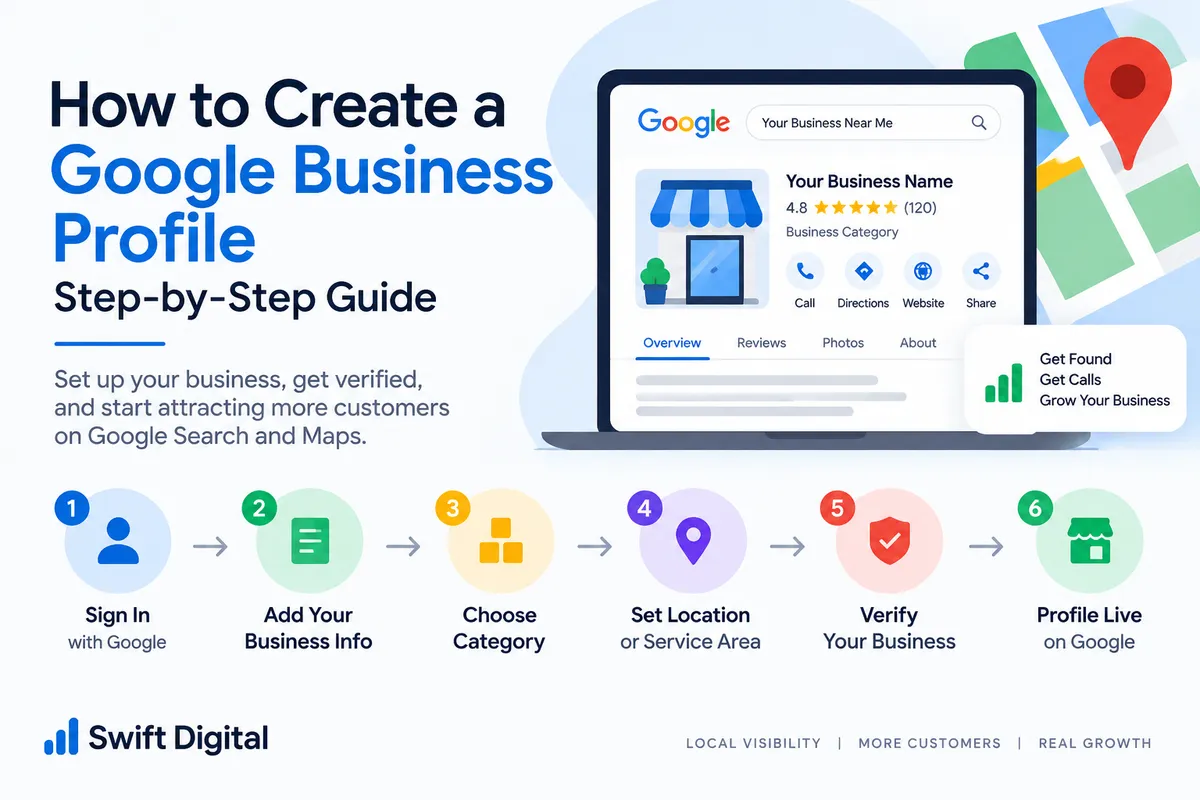
How to Create a Google Business Profile: Step-by-Step Guide
If you run a local business, creating a Google Business Profile can help you establish an online presence on Google Search and Google Maps.
A Business Profile allows you to provide customers with important information about your business, including your business name, category, location, phone number, website, opening hours, services, photos, and other relevant details.
Creating the profile is only the first step. After setup, you need to make sure the information accurately represents your business and complete the appropriate verification process.
In this guide, we'll walk through the basic steps involved in creating a Google Business Profile.
What You Need Before Creating a Google Business Profile
Before starting, prepare the information you will need for your business.
Business Name
Have your actual business name ready.
Use the name that represents your real-world business rather than adding extra keywords simply for SEO purposes.
Business Category
Think about the main service or activity your business provides.
This will help you choose an appropriate primary business category during setup.
Business Address
If customers visit your business location, have the correct address available.
If you operate as a service-area business, be prepared to provide the appropriate service-area information.
Phone Number
Prepare a business phone number that customers can use to contact you.
Website
If your business has a website, have the correct website URL ready.
Business Hours
Prepare your normal opening hours and any relevant special hours.
Business Photos
Have genuine photographs of your business, products, team, location, equipment, or services ready to upload.
Preparing these details in advance can make the setup process easier.
Step 1: Start Your Google Business Profile
Begin the Business Profile creation process using Google's Business Profile system.
You will need to sign in with a Google account that you intend to use to manage the business profile.
If Google already has a Business Profile for your business, check whether an existing profile is available before creating another one.
This is important because duplicate profiles can create unnecessary problems.
Step 2: Enter Your Business Name
Enter your actual business name.
For example:
Swift Digital
Avoid changing the name to something like:
Swift Digital – Best SEO Agency in Chennai
unless those words are genuinely part of the business's real-world name.
Your Business Profile should accurately represent the business.
Step 3: Select Your Business Category
Choose the category that most accurately describes your main business activity.
Your primary category is an important part of explaining to Google what your business does.
For example, a business focused primarily on digital marketing might select a category related to its core digital marketing service, depending on the categories available during setup.
Don't select unrelated categories simply because they contain keywords you want to rank for.
Step 4: Add Your Business Location
Google will ask questions about how customers interact with your business.
If customers visit your physical location, provide the appropriate business address.
If you travel to customers and operate as a service-area business, configure the profile according to your actual business model.
Your address and service-area information should always be accurate.
Step 5: Add Your Service Area
If your business serves customers in specific geographic areas, add the areas that you genuinely serve.
For example, a service business might work across several nearby cities or areas.
Don't add locations where you don't actually provide services just to try to increase local visibility.
Your service area should represent your real operating area.
Step 6: Add Your Contact Information
Add the phone number customers can use to contact your business.
You should also provide your website if you have one.
Before publishing, double-check that:
Phone number is correct
Website URL works
Business name is correct
Address is correct
Service area is accurate
Consistency is important when building your broader local SEO presence.
Step 7: Add Your Business Hours
Enter your normal operating hours.
Make sure these reflect when customers can actually contact or visit your business.
Remember to review your hours whenever your schedule changes.
You should also pay attention to special hours for holidays and temporary closures.
Incorrect hours can create a poor customer experience.
Step 8: Add Your Services and Products
Once the basic profile information is established, add the services or products that your business actually provides.
For example, a local SEO agency could potentially list services such as:
Google Business Profile Optimization
Local SEO
Google Maps SEO
Website SEO
Technical SEO
Local Citation Management
Use clear service names and descriptions.
Don't add services that your business doesn't actually provide.
Step 9: Add Photos and Videos
Photos can help customers understand what your business looks like and what you offer.
Depending on your business, consider adding:
Exterior photos
Interior photos
Team photographs
Product photographs
Equipment
Workspace
Service delivery
Customer-facing areas
Use genuine photographs whenever possible.
Avoid creating a profile that relies entirely on generic stock imagery.
Step 10: Complete the Verification Process
After entering the required information, Google may ask you to verify your business.
The verification method available can vary depending on the business and Google's requirements.
Possible verification methods may include options such as:
Phone
Email
Video
Live video
Mail
Other methods provided by Google
Follow the verification instructions shown for your particular Business Profile.
Don't attempt to bypass or manipulate the verification process.
Your uploaded GBP material identifies verification as a foundational step and discusses preparing business documentation and information before verification.
Step 11: Complete Your Profile
After verification, review the entire profile.
Check each important section.
Business information
Business name
Category
Address
Service area
Phone number
Website
Hours
Customer information
Services
Products
Photos
Attributes
Booking information, where applicable
Reputation
Customer reviews
Review responses
Questions and answers
The objective is to make your profile useful to someone who discovers your business for the first time.
Step 12: Connect Your Google Business Profile With Your Website
Your Business Profile shouldn't exist separately from your website.
Make sure your website provides consistent information about:
Business name
Address
Phone number
Services
Opening hours
Areas served
You can also create relevant service or location pages on your website where appropriate.
This helps create a more consistent local online presence.
Step 13: Build Consistent Local Business Information
After creating your profile, review your business information across important online properties.
This includes relevant:
Business directories
Social profiles
Industry directories
Local directories
Website pages
The important principle is quality and consistency, rather than creating hundreds of low-quality listings.
Your business name, address, and phone information should accurately represent the same business.
Step 14: Start Building Your Local SEO Presence
Creating the profile is the foundation.
You can then work on broader local SEO activities such as:
Customer Reviews
Encourage genuine customers to leave honest reviews about their experiences.
Never purchase or manufacture reviews.
Local Content
Create useful website content that answers questions your local customers actually ask.
Local Citations
Maintain accurate listings on relevant and reputable directories.
Local Links
Develop genuine relationships with relevant local organizations, publications, associations, and businesses.
Website Optimization
Create useful pages that clearly explain your services and the areas you serve.
Common Mistakes When Creating a Google Business Profile
Creating a Duplicate Profile
Before creating a new profile, check whether your business already has an existing listing.
Keyword Stuffing the Business Name
Don't add keywords or locations to your business name simply to try to improve rankings.
Choosing Irrelevant Categories
Select categories that accurately represent your actual business.
Using a Misleading Address
Your location information should accurately reflect your business.
Adding Fake Reviews
Only genuine customer experiences should be represented in reviews.
Adding Incorrect Services
Your services and products should match what your business actually provides.
Ignoring Business Hours
Keep your opening hours accurate and update them when they change.
How Long Does Google Business Profile Setup Take?
The time required can vary.
Entering the business information may be relatively quick, but verification can take longer depending on the verification method and Google's review process.
The important thing is not to rush through the setup.
Take the time to make sure your business information is accurate before submitting it.
What Should You Do After Creating Your Profile?
Once your profile is live, don't simply leave it untouched.
Create a regular maintenance routine.
Monitor Reviews
Respond professionally to customer feedback.
Update Photos
Add genuine, useful photos when there is something new to show.
Review Business Information
Check your hours, services, contact information, and other important details.
Publish Useful Updates
Where appropriate, publish announcements, events, educational information, or other useful updates.
Monitor Performance
Review available performance information to understand how customers are discovering and interacting with your business.
Your uploaded playbook recommends treating GBP as an ongoing optimization process rather than a one-time setup.
Frequently Asked Questions
Is Google Business Profile free to create?
Yes, creating a Google Business Profile itself is free. Paid advertising is a separate Google service.
Can I create a Google Business Profile without a website?
A website can be useful for your overall online presence, but having a website and creating a Business Profile are separate things.
Can a service-area business create a Business Profile?
Eligible service-area businesses can configure their profile according to how they serve customers.
Can I add multiple services?
Yes, where applicable, you can add the services your business genuinely provides.
Should I add keywords to my business name?
Only when the words are genuinely part of your real business name. Don't add keywords solely for SEO.
What happens after verification?
Once the profile is verified and available, you can continue completing and maintaining the profile, adding relevant information, managing reviews, and developing your broader local SEO presence.
Final Thoughts
Creating a Google Business Profile is an important starting point for businesses that want to establish a presence on Google Search and Google Maps.
But creating the profile is only the beginning.
The next step is to maintain accurate business information, provide useful services and descriptions, add genuine photographs, respond to customer reviews, and build a consistent local online presence.


