Mining Google Autocomplete for Long-Tail Keyword Ideas
If you've ever typed a phrase into Google and watched the dropdown auto-fill with suggestions, you've seen one of the richest — and most underused — sources of keyword data available for free. Those suggestions aren't random; they're powered by a ranked, scored API response that you can query directly, parse, and turn into a structured keyword list. This post walks through the process end-to-end, using "doctor chennai" as a working example.
Why Autocomplete Data Matters for Keyword Research
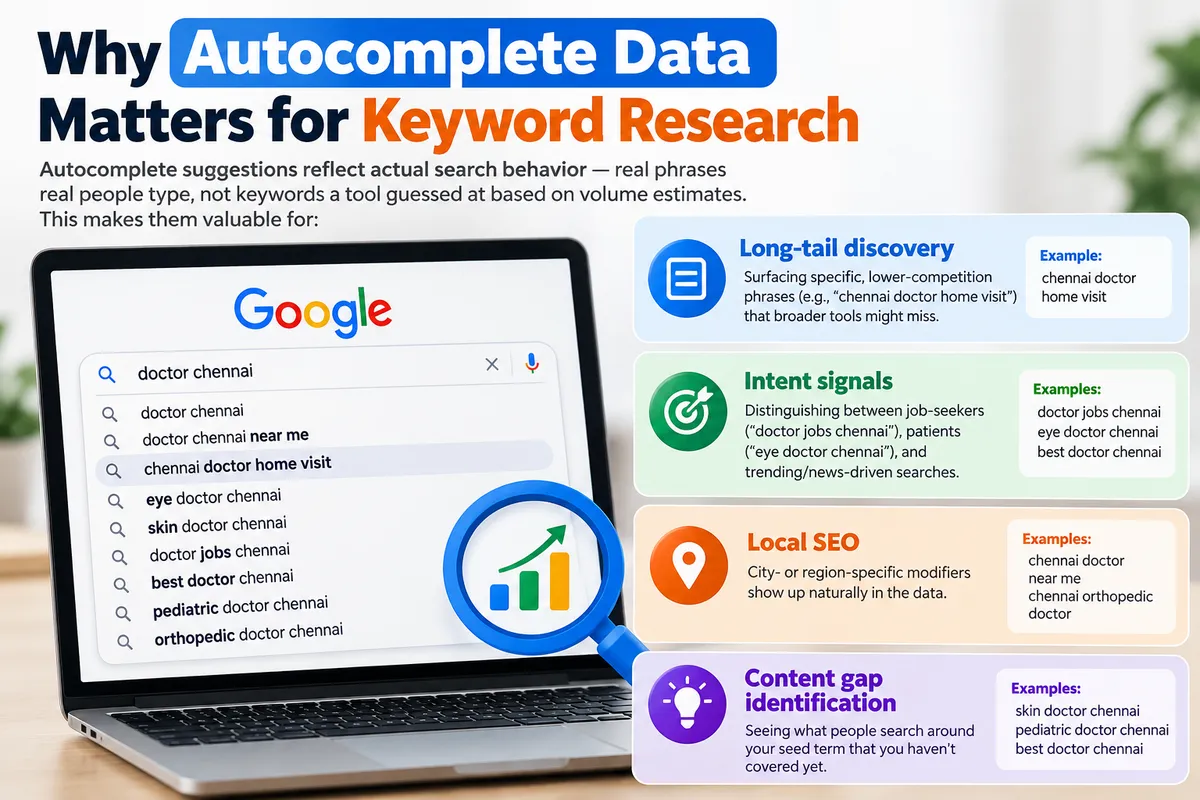
Autocomplete suggestions reflect actual search behavior — real phrases real people type, not keywords a tool guessed at based on volume estimates. This makes them valuable for:
Long-tail discovery — surfacing specific, lower-competition phrases (e.g., "chennai doctor home visit") that broader tools might miss
Intent signals — distinguishing between job-seekers ("doctor jobs chennai"), patients ("eye doctor chennai"), and trending/news-driven searches
Local SEO — city- or region-specific modifiers show up naturally in the data
Content gap identification — seeing what people search around your seed term that you haven't covered yet
Step 1: Build the Query URL
Google's autocomplete suggestions are served from an endpoint originally built for the Chrome address bar:
https://suggestqueries.google.com/complete/search?client=chrome&q=YOUR+SEED+KEYWORDReplace spaces in your seed keyword with +. For example:
https://suggestqueries.google.com/complete/search?client=chrome&q=doctor+chennaiA note on legitimacy: this isn't an official, documented Google API — it's a reverse-engineered endpoint that SEO tools have used for years. It's unauthenticated and free, but it can be rate-limited, is sensitive to the requester's IP/region, and could be throttled or blocked without notice. Treat it as a fast, informal research tool — not a production data pipeline.
Step 2: Understand the Response Structure
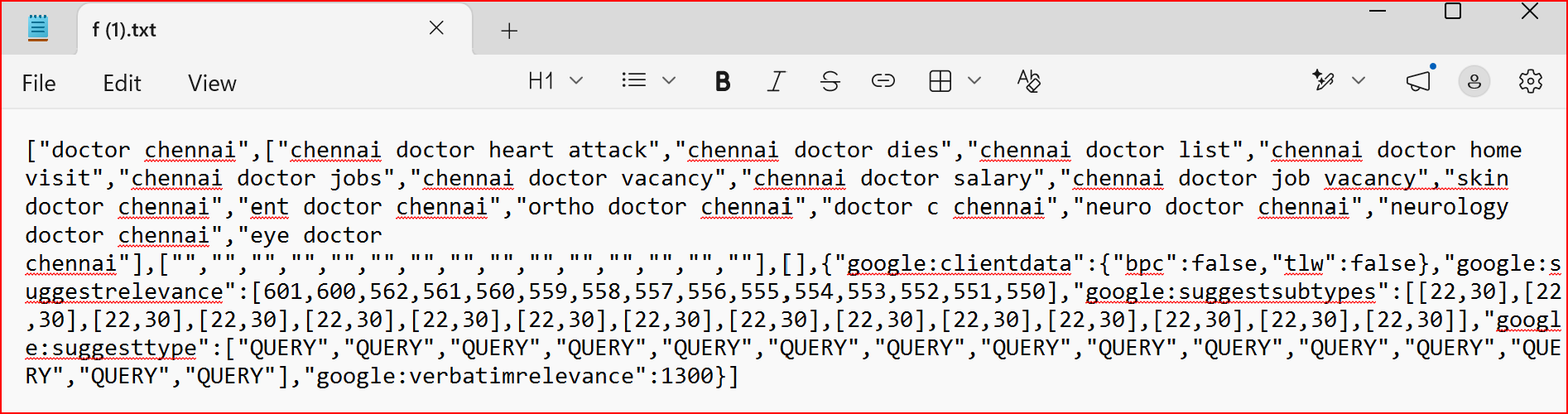
The endpoint returns a JSON array shaped like this:
json
["doctor chennai",
 ["chennai doctor heart attack", "chennai doctor dies", "chennai doctor list", ...],
 ["", "", "", ...],
[],{ "google:suggestrelevance": [601, 600, 562, ...],
 "google:suggesttype": ["QUERY", "QUERY", ...],
 "google:verbatimrelevance": 1300
}]
Key fields:
Field | What it means |
|---|---|
Index 0 | Your original seed query |
Index 1 | The array of suggested keyword strings |
| A relative score per suggestion — higher means Google ranks it more prominently in the dropdown |
| The relevance score for your exact seed phrase, typically the highest number in the set |
| Usually "QUERY," though can include "ENTITY" or others |
Step 3: Parse and Rank
Once fetched, zip the keyword strings together with their relevance scores and sort descending. Running this on "doctor chennai" produces:
Rank | Keyword | Relevance |
|---|---|---|
1 | chennai doctor heart attack | 601 |
2 | chennai doctor dies | 600 |
3 | chennai doctor list | 562 |
4 | chennai doctor home visit | 561 |
5 | chennai doctor jobs | 560 |
6 | chennai doctor vacancy | 559 |
7 | chennai doctor salary | 558 |
8 | chennai doctor job vacancy | 557 |
9 | skin doctor chennai | 556 |
10 | ent doctor chennai | 555 |
11 | ortho doctor chennai | 554 |
12 | doctor c chennai | 553 |
13 | neuro doctor chennai | 552 |
14 | neurology doctor chennai | 551 |
15 | eye doctor chennai | 550 |
A few things jump out immediately just from this one pull:
News-driven spikes are visible. The top two results ("heart attack," "dies") score noticeably higher than the rest — almost certainly reflecting a real, recent event rather than steady-state search demand. These are worth verifying before building content around them; they may be short-lived spikes rather than durable keywords.
Two distinct intent clusters emerge: job-seeker queries (jobs, vacancy, salary) and specialty-search queries (skin, ENT, ortho, neuro, eye). These would likely warrant separate content strategies or even separate landing pages.
The relevance score is relative, not absolute. A score of 601 doesn't mean "601 searches a day" — it's an internal ranking weight useful only for comparing suggestions within the same batch.
Step 4: Widen the Net with Seed Variations
A single seed keyword only scratches the surface. To build out a fuller keyword set, repeat the process with variations:
"doctor near me chennai"
"best doctor chennai"
"doctor appointment chennai"
"[specialty] doctor chennai" for each specialty uncovered in Step 3
Each pull will surface a fresh batch of 10–15 suggestions, many overlapping and some entirely new.
Step 5: Consolidate and Clean
Once you've run several seed queries:
Merge all results into a single master list
Deduplicate near-identical phrases (e.g., "eye doctor chennai" vs. "chennai eye doctor")
Tag by intent (informational, transactional, navigational, job-seeking, etc.)
Cross-check volume against a proper keyword tool (Google Keyword Planner, Ahrefs, Semrush) — autocomplete relevance is a signal, not a volume metric, so pair it with real data before prioritizing content investment
Where This Fits in a Broader Workflow
This technique is best used as a fast ideation layer, not a replacement for full keyword research tooling. It's especially useful for:
Quickly generating a long-tail seed list before a deeper research pass
Spotting real-time trending queries around a topic
Local/regional SEO, where autocomplete often surfaces hyper-local modifiers that keyword tools underrepresent


